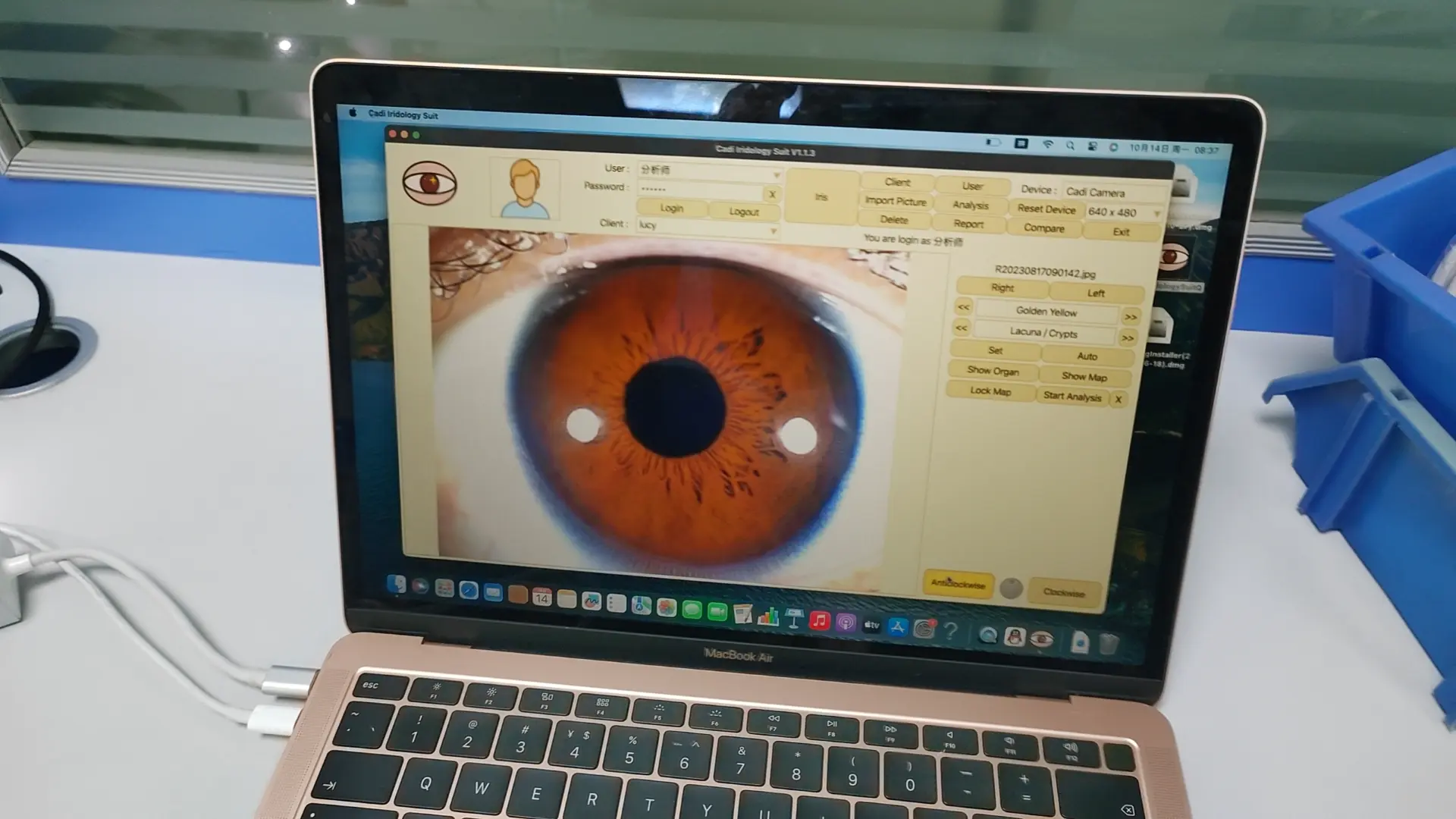
iridology camera software what can do?

برنامج كاميرا علم القزحية

برنامج كاميرا علم القزحية

برنامج كاميرا علم القزحية

برنامج كاميرا علم القزحية
1) إضافة معلومات comstomer إلى البرنامج.
2) تعديل أو حذف معلومات comstomer.
3) خذ صور العين الخاصة بعلم القزحية إلى البرنامج.
4) تحليل صور قزحية العين.
5) قم بوضع تقارير تحليل علم القزحية.
6) مقارنة صور العين قبل وبعد علم القزحية.
7) مقارنة تقارير تحليل علم القزحية.
How to use the iridology camera software?

برنامج كاميرا علم القزحية

برنامج كاميرا علم القزحية

برنامج كاميرا علم القزحية

برنامج كاميرا علم القزحية

برنامج كاميرا علم القزحية

برنامج كاميرا علم القزحية
1) Open desktop the “CadiCV Advance Analysis System English Version”
2) use select “user”,password:111111,and click: “login”
3) click “client tool”, enter your customer info. if ok,click “يضيف”,and
clieck”يغلق”
4) click “capture right eye”.–click “capture”,left eye repetition Last Step.
5) select the eye pic (right eye pic / left eye pic)
6) click “تحليل”
7) click “set parameter” button.
1st. put the mouse arrows in center of pupil, click left key of mouse,
2nd . remove arrows of mouse edge of pupil, click left key of mouse,
3rd.remove the arrows of mouse between iris and sclera, then click left key of mouse.
And click the “set parameter” button.
8) click “تحليل القزحية” button,and click “show organ” button.
then choose what part of eye do you want to analysis, view its color and
shape, at last click its color and shape, as following“Brown, lump”,
برنامج كاميرا علم القزحيةوكاميرا وبرامج القزحية
remove the arrows of mouse to your choose correct part, at last, you can see the following
analysis result picture, if you choose “color, or shape” is wrong, no any result of the part
Note: when you can read analysis result each time, please click “add to report” of right eye, store
the analysis result. Of course, you can continue to any part of right eye, repeat to choose color and
shape.
When you finish the right eye analysis, please click “analysis” again, then choose “left” of eye, to
repeat above operation ways.
9). When you finish all parts analysis , please click “analysis” again, then click “save”, to store a
complete of customer iris analysis result.
10) click button “customer report” button and click your replort name,
Maikong IRIDOLOGY تثبيت وعملية 2024
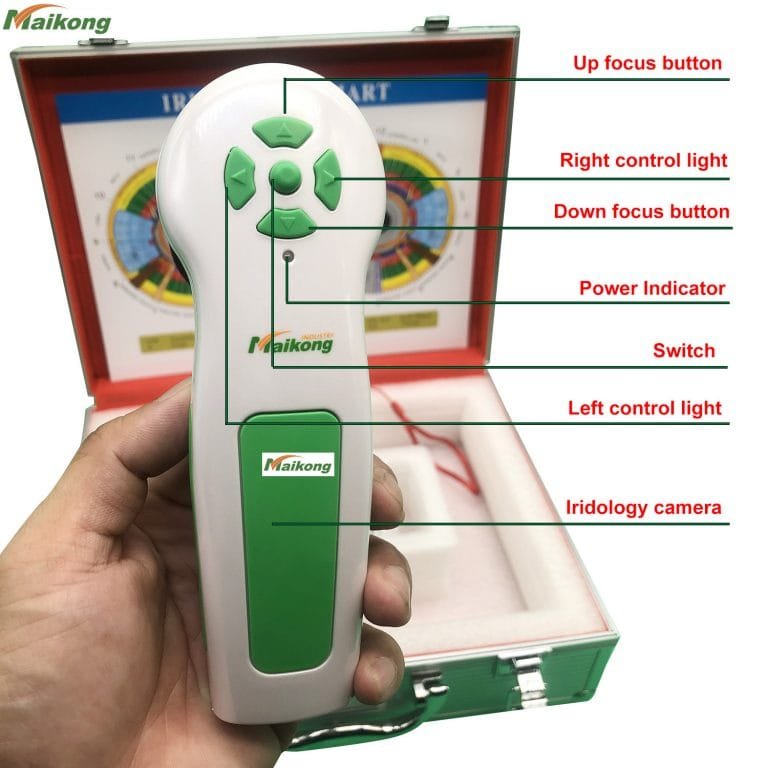
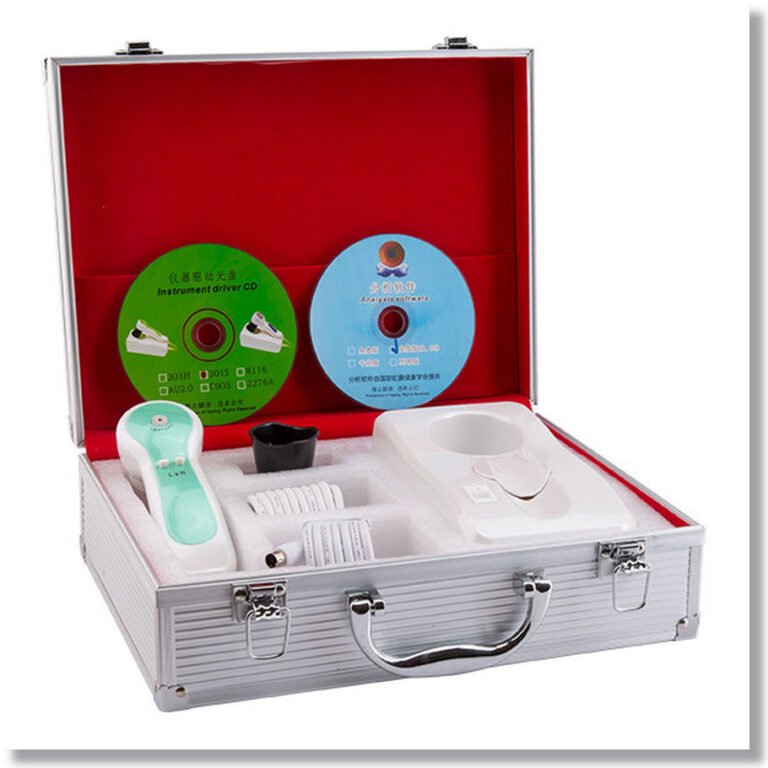
What is iridology camera?
12mp Usb Digitai Eye Iriscope Iridology Camera Iris Analyzer Pro iridology software
يكتب:
محلل الجلد، معدات التجميل متعددة الوظائف، محلل الجلد
شهادة:
سي بنفايات، سي، بنفايات
مكان المنشأ:
قوانغدونغ، الصين (البر الرئيسي)
اسم العلامة التجارية:
كلكم
رقم الموديل:
إيك-HM7
لون:
أبيض
لغة:
الإنجليزية، الإسبانية، ماليزيا
دقة:
12 ميجا بكسل
برمجة:
القزحية، الجلد، العين
خدمة ما بعد البيع:
حياة