The practice of iridology relies heavily on clear, detailed images of the iris for accurate analysis. With advanced iridology ڪئميرا سافٽ ويئر, practitioners can significantly enhance image quality, leading to more precise health assessments. This comprehensive guide explores how to effectively use MAIKONG’s professional iridology ڪئميرا سافٽ ويئر to achieve optimal image enhancement for your practice.
آئيڊولولوجي ڪيمرا سافٽ ويئر: The Core of Modern Analysis
Modern iridology has evolved beyond simple visual examination to incorporate sophisticated digital analysis. At the heart of this evolution is specialized iridology ڪئميرا سافٽ ويئر that transforms standard iris images into detailed health maps.

ڇا آهي آئيڊولولوجي ڪيمرا سافٽ ويئر؟
Iridology camera software is specialized digital technology designed to capture, enhance, and analyze iris images for health assessment purposes. Unlike general image editing programs, professional iridology ڪئميرا سافٽ ويئر includes specific features for iris pattern recognition, automatic analysis, and health condition mapping based on established iridology principles.
MAIKONG جي پروفيشنل iridology ڪئميرا سافٽ ويئر interface with advanced analysis tools
The Evolution of MAIKONG آئيڊولولوجي ڪيمرا سافٽ ويئر
With over 20 years of research and development experience, MAIKONG has continuously refined its iridology ڪئميرا سافٽ ويئر to meet the evolving needs of health practitioners worldwide.
| سال |
نسخو |
اهم سنگ ميل |
| 2004 |
شروعاتي نسخو |
پهريون رليز: بنيادي دستياب Iridology تجزيو سافٽ ويئر. |
| 2005 |
نسخو 3.0 |
پهرين ٻولي کي آسان چيني ۾ اپ گريڊ ڪيو ويو ۽ وڌيڪ صحت جي اشارن جو تجزيو شامل ڪيو ويو. |
| 2008 |
نسخو 3.04 |
گھڻن ٻولين جي سپورٽ شامل ڪئي وئي: انگريزي، اسپيني، وغيره ۽ بهتر تصوير جي وضاحت جو تجزيو. |
| 2010 |
نسخو 3.10 |
متعارف ڪرايو AI جي بنياد تي خودڪار Iridology تجزيو ۽ ترقي يافته 3D تصويري بهتري وارو تجزيو. |
| 2014 |
نسخو 3.15 |
Released multi-user version and integrated cloud data management for easy backup and access. |
| 2018 |
نسخو 3.18 |
پهريون iridology سافٽ ويئر macOS کي سپورٽ ڪرڻ لاءِ، ايپل استعمال ڪندڙن لاءِ وڌايل مطابقت. |
| 2020 |
نسخو 3.20 |
مسلسل AI بهتري، خودڪار پراڊڪٽ سفارشون، ۽ عالمي استعمال ڪندڙن لاء ملٽي ڊيوائس هم وقت سازي. |
| 2025 |
نسخو 3.23 |
Enhanced automatic analysis, integration of 3D textures, and new multi-language features; software now supports Windows and macOS. |
Key Features of Advanced آئيڊولولوجي ڪيمرا سافٽ ويئر for Superior Image Enhancement
ماکونگ iridology ڪئميرا سافٽ ويئر offers a comprehensive suite of features designed specifically for professional health practitioners. These tools enable precise image enhancement and detailed analysis of iris patterns.


Before and after image enhancement using MAIKONG’s 3D analysis technology
| خاصيت |
وضاحت |
| خودڪار Iridology تجزيو |
Provides AI-based automatic analysis of Iridology, offering detailed reports on health markers and personal conditions. |
| ڪلائنٽ مينيجمينٽ |
Add, edit, and manage client data including personal information (name, age, gender), and maintain a comprehensive customer database. |
| گھڻن ٻولين جي حمايت |
17 ٻولين کي سپورٽ ڪري ٿو، بشمول انگريزي، اسپينش، فرينچ، اطالوي، چيني (آسان ٿيل) & روايتي)، ۽ وڌيڪ. |
| 3D Iridology تصوير |
صحت جي حالتن جي بهتر ۽ تفصيلي ڏسڻ لاءِ Iridology جي 3D تصويرن کي فعال ڪري ٿو. |
| بيڪ اپ ۽ بحال ڪارڪردگي |
مختلف ڊوائيسز تي خودڪار بيڪ اپ ۽ بحالي کي فعال ڪندي پنهنجي ڪلائنٽ ڊيٽا کي محفوظ ڪريو. |
| مصنوعات جون سفارشون |
Based on Iridology analysis, the software provides personalized product recommendations to improve health conditions. |
| حسب ضرورت رپورٽون |
ذاتي ٿيل صحت جي تجويزون، تجزيو، ۽ پيداوار جي سفارشن سان ڪسٽم رپورٽون ٺاهيو. |
| بصري سکيا جا اوزار |
ڪيس مطالعو، Iridology تصويرون، ۽ تربيت ۽ سکيا جي مقصدن لاءِ تفصيلي وضاحتون شامل آهن. |
| 3D منفي فلم & بناوت جو تجزيو |
صحت جي نشانين جي بهتر تشخيص ۽ تفصيلي تصويرن لاءِ 3D منفي فلم ۽ Iridology ساخت جي تجزيي کي استعمال ڪريو. |
| تقابلي تجزيو |
مختلف وقتن تي ساڳئي ڪلائنٽ جي رپورٽن جو مقابلو ڪريو، صحت ۽ بحالي ۾ پيش رفت ڏيکاريندي. |
توهان جي Iridology جي مشق کي وڌائڻ لاء تيار آهي؟
Discover how MAIKONG’s advanced iridology ڪئميرا سافٽ ويئر can transform your health assessments with superior image enhancement capabilities.
ڳوليو سافٽ ويئر خاصيتون
Getting Started: Installation and Setup of Your MAIKONG آئيڊولولوجي ڪيمرا سافٽ ويئر
Setting up your iridology ڪئميرا سافٽ ويئر correctly is essential for optimal performance. Follow these steps to ensure proper installation and configuration of your MAIKONG software.
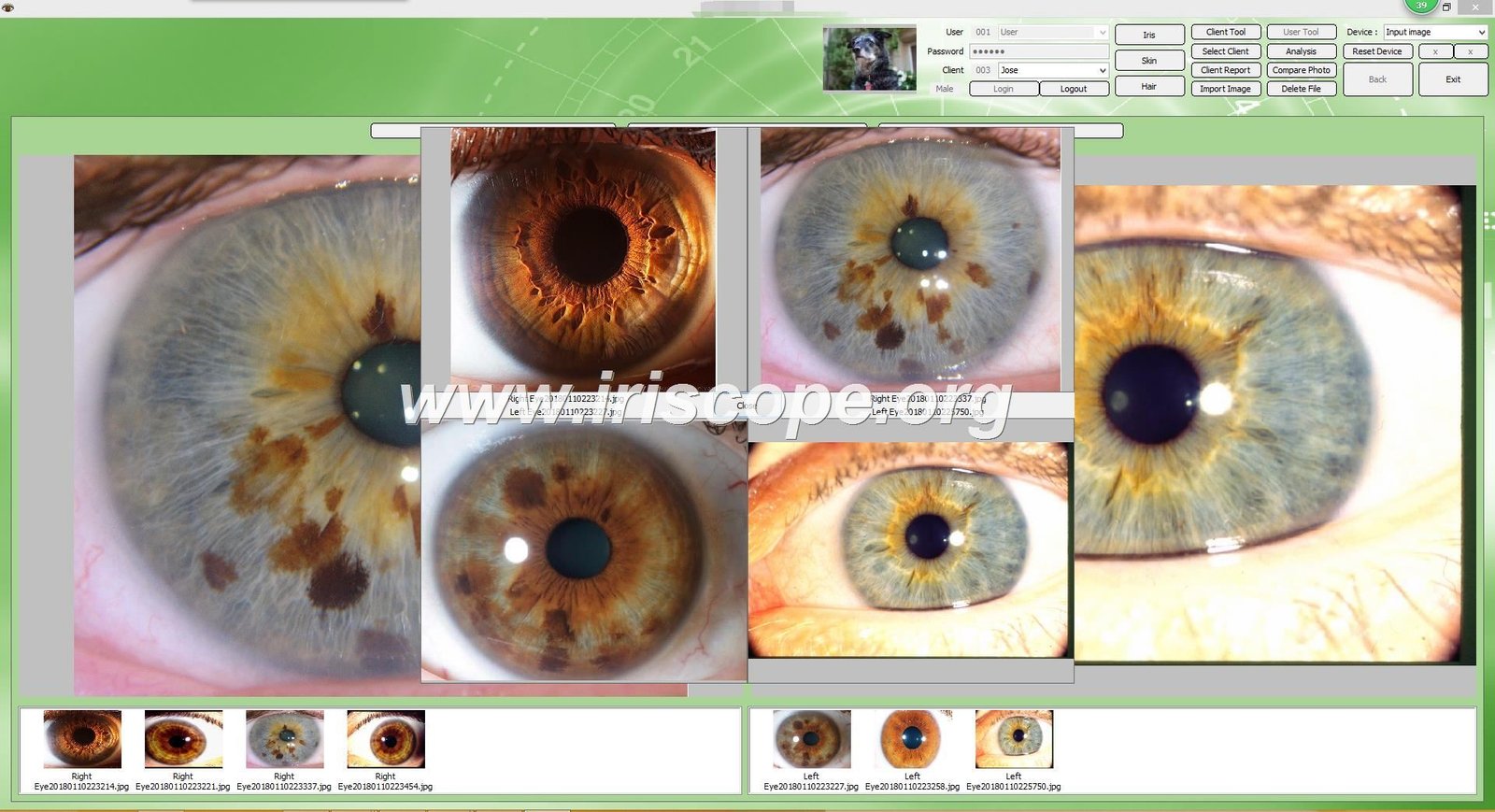
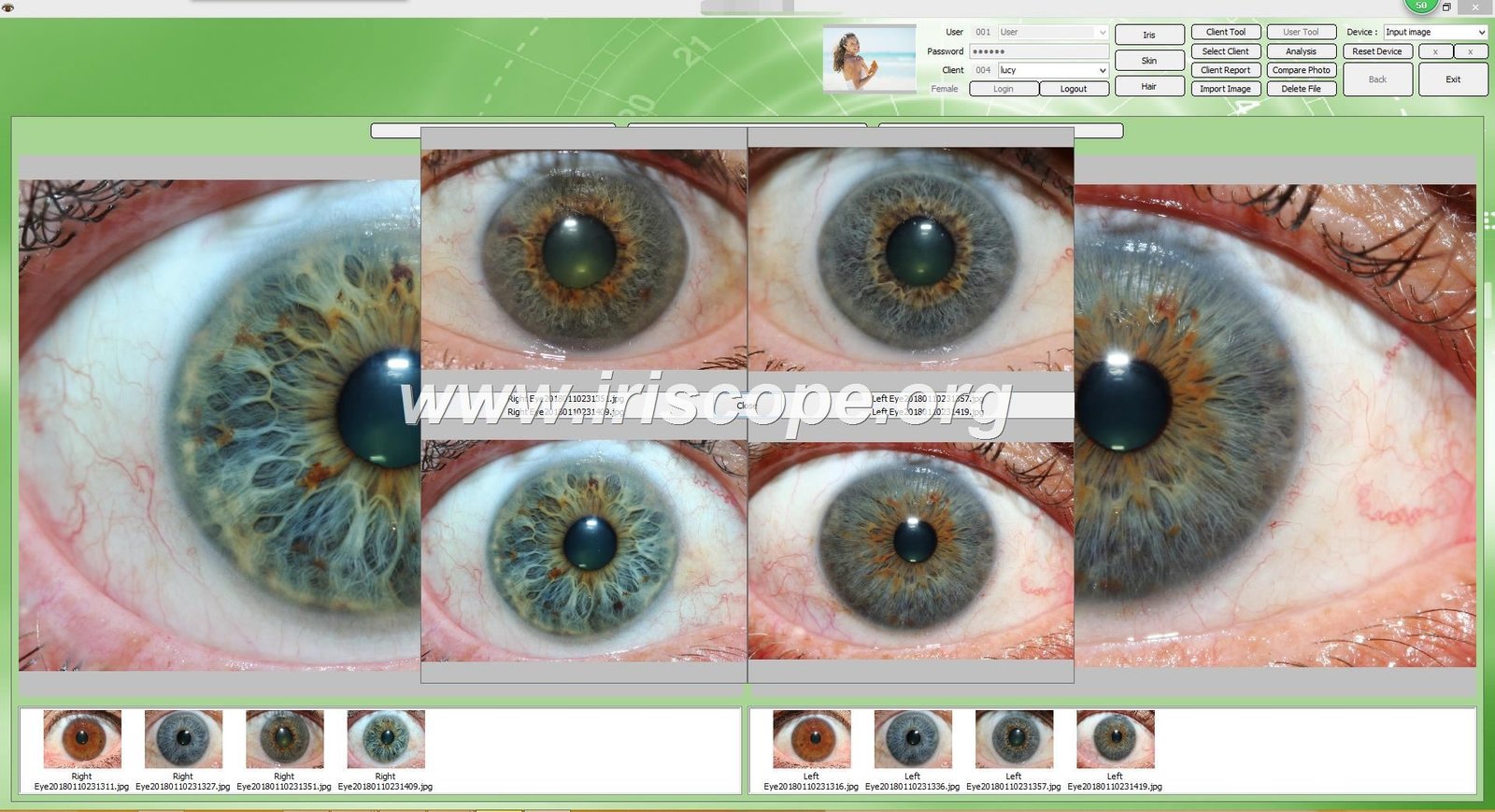
مائيڪو آئيڊولولوجي ڪيمرا سافٽ ويئر installation wizard
| قدم |
وضاحت |
| 1. داخل ڪريو USB ڪي |
Insert the provided 4GB USB Key into a USB port on your computer. |
| 2. انسٽاليشن کي هلائڻ |
Double-click the .exe installation file and follow on-screen prompts by clicking Next until installation is complete. |
| 3. ڪئميرا بند ڪريو (جيڪڏهن گهربل هجي) |
Some computers may require disabling the built-in camera through Device Manager. |
| 4. Iridology ڪئميرا سان ڳنڍيو |
Disconnect USB Key and connect the Iridology Camera into a USB port on your computer. |
| 5. انڪريپشن ڊونگل داخل ڪريو |
Insert the metal USB encryption dongle (USB Key) for software activation. |
| 6. سافٽ ويئر لانچ ڪريو |
Double-click on the Iridology Software shortcut on your desktop to start using the software. |
| 7. سافٽ ويئر تيار |
سافٽ ويئر هاڻي مڪمل طور تي نصب ڪيو وڃي ۽ توهان جي سسٽم تي استعمال ڪرڻ لاء تيار آهي. |
| سسٽم جو قسم |
سپورٽ ٿيل نسخو |
| ونڊوز او ايس |
ونڊوز 2000، XP، وسٽا، 7، 8، 10، 11 (32-bit & 64-bit) |
| macOS |
macOS 10.14 (Mojave)، 10.15 (Catalina)، 11 (Big Sur)، 12 (Monterey)، 13 (Ventura)، 14 (Sonoma)، 15 (Sequoia) |
| لينڪس |
Currently, the software does not support Linux-based operating systems. |
A Step-by-Step Guide to Using آئيڊولولوجي ڪيمرا سافٽ ويئر for Image Enhancement
Achieving optimal image enhancement with your iridology ڪئميرا سافٽ ويئر involves several key steps. Follow this comprehensive guide to capture, enhance, and analyze iris images with professional precision.
Step 1: Capturing the Optimal Iris Image
The foundation of effective iridology analysis is a high-quality initial image. MAIKONG’s iridology ڪئميرا سافٽ ويئر works with our precision cameras to ensure optimal capture conditions.
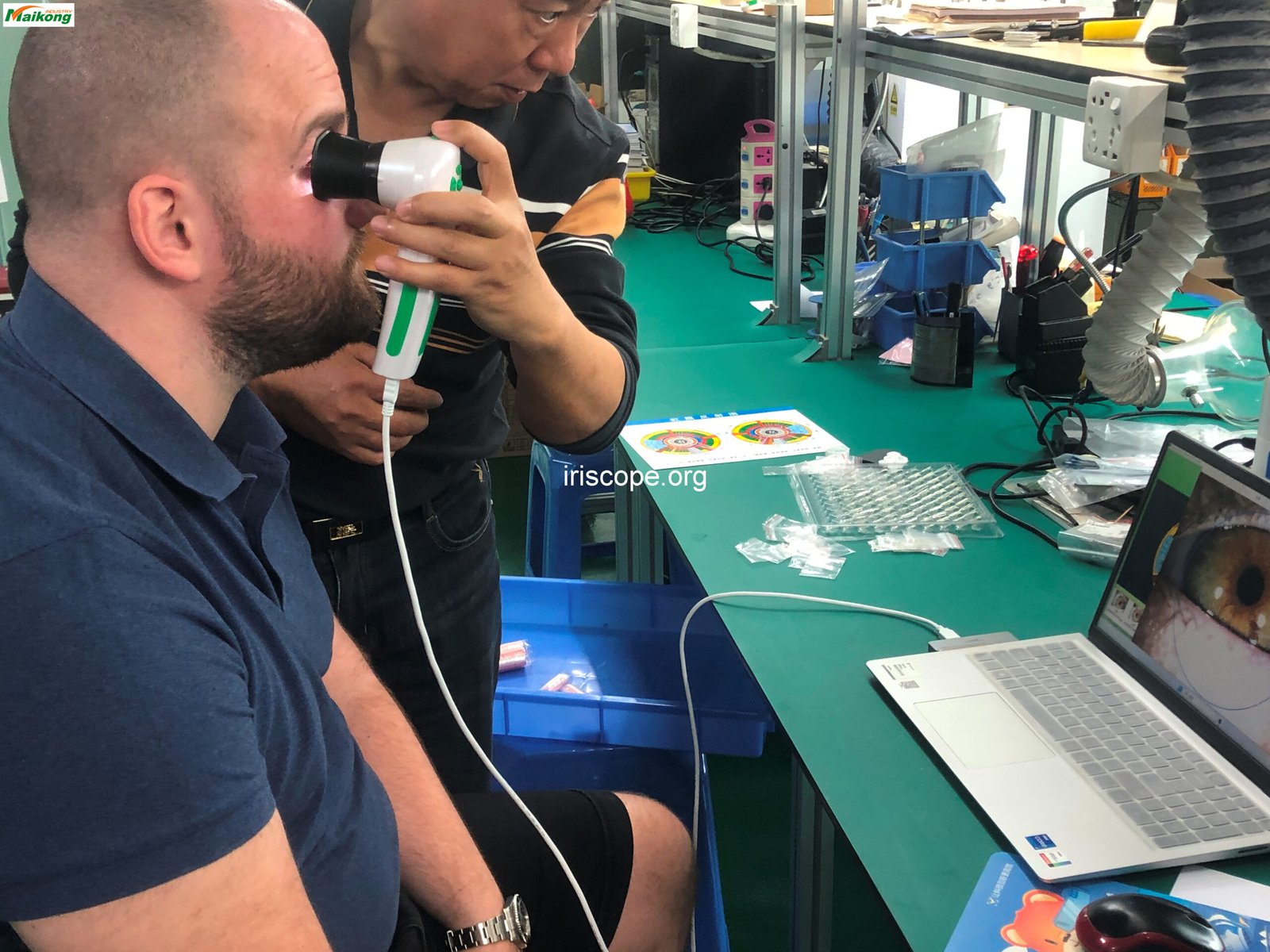
Proper positioning and technique for iris image capture
- Position the camera 3-5 cm from the patient’s eye for optimal focus
- Ensure proper lighting conditions – the software’s LED illuminator provides consistent lighting
- Use the focus adjustment wheel to achieve maximum clarity
- Stabilize the camera to prevent motion blur
- Capture both left and right eyes separately for comprehensive analysis
اهم: Never shine the light into a patient’s eye for longer than 10 seconds at a time to ensure comfort and safety.
Step 2: Importing and Pre-processing Images in the Software
Once captured, images need to be properly imported and prepared for enhancement within the iridology ڪئميرا سافٽ ويئر.

Image import and pre-processing interface in MAIKONG software
- Open the client management section and create a new client profile or select an existing one
- Import the captured images through the “پڪڙ” يا مان “Import” function
- Apply initial auto-adjustments for white balance and contrast
- Manually fine-tune brightness, contrast, and sharpness if needed
- Save the pre-processed image before proceeding to enhancement
Step 3: Utilizing 3D Enhancement and Texture Analysis Tools
ميڪونگ جي ترقي يافته iridology ڪئميرا سافٽ ويئر includes specialized tools for 3D enhancement and texture analysis that reveal subtle details in the iris structure.

3D texture analysis revealing detailed iris structures
- Access the 3D enhancement tools from the “تجز مبارڪ” menu
- Apply the 3D negative film filter to highlight structural anomalies
- Use the texture analysis function to identify subtle pattern variations
- Adjust the depth mapping to enhance specific iris layers
- Save multiple enhancement versions for comparative analysis
Step 4: Running Automated AI Analysis and Interpreting Results
The AI-powered analysis capabilities of MAIKONG iridology ڪئميرا سافٽ ويئر provide objective assessment of iris patterns and potential health indicators.

AI-powered analysis results with health indicators
- Select the enhanced image and click “تجز مبارڪ” يا مان “AI Scan”
- Verify the iris parameters (pupil center, iris edge, collarette) or use auto-detection
- Run the automated analysis process
- Review the color-coded health indicator map
- Examine detailed findings for each body system and organ area
پيشه ورانه صلاح: MAIKONG’s unique collarette tracing feature allows for precise mapping of the actual collarette shape rather than using a standard circular overlay, significantly improving analysis accuracy.
Step 5: Generating and Customizing Client Reports
Create comprehensive, professional reports for your clients using the customizable reporting features in MAIKONG iridology ڪئميرا سافٽ ويئر.


Customized client report with detailed analysis and recommendations
- Access the report generator from the client profile or analysis results screen
- Select the report template that best suits your practice needs
- Customize the report with your practice logo and contact information
- Include relevant enhanced images with annotations
- Add personalized recommendations based on the analysis findings
- Save the report as a PDF for printing or digital sharing
Need Technical Support?
Our team of experts is ready to assist you with any questions about using MAIKONG iridology ڪئميرا سافٽ ويئر for image enhancement.
Contact Support via WhatsApp
مائيڪو آئيڊولولوجي ڪيمرا سافٽ ويئر: Technical Specifications and Compatibility
MAIKONG offers comprehensive language support and compatibility across multiple operating systems to serve our global client base of health practitioners.
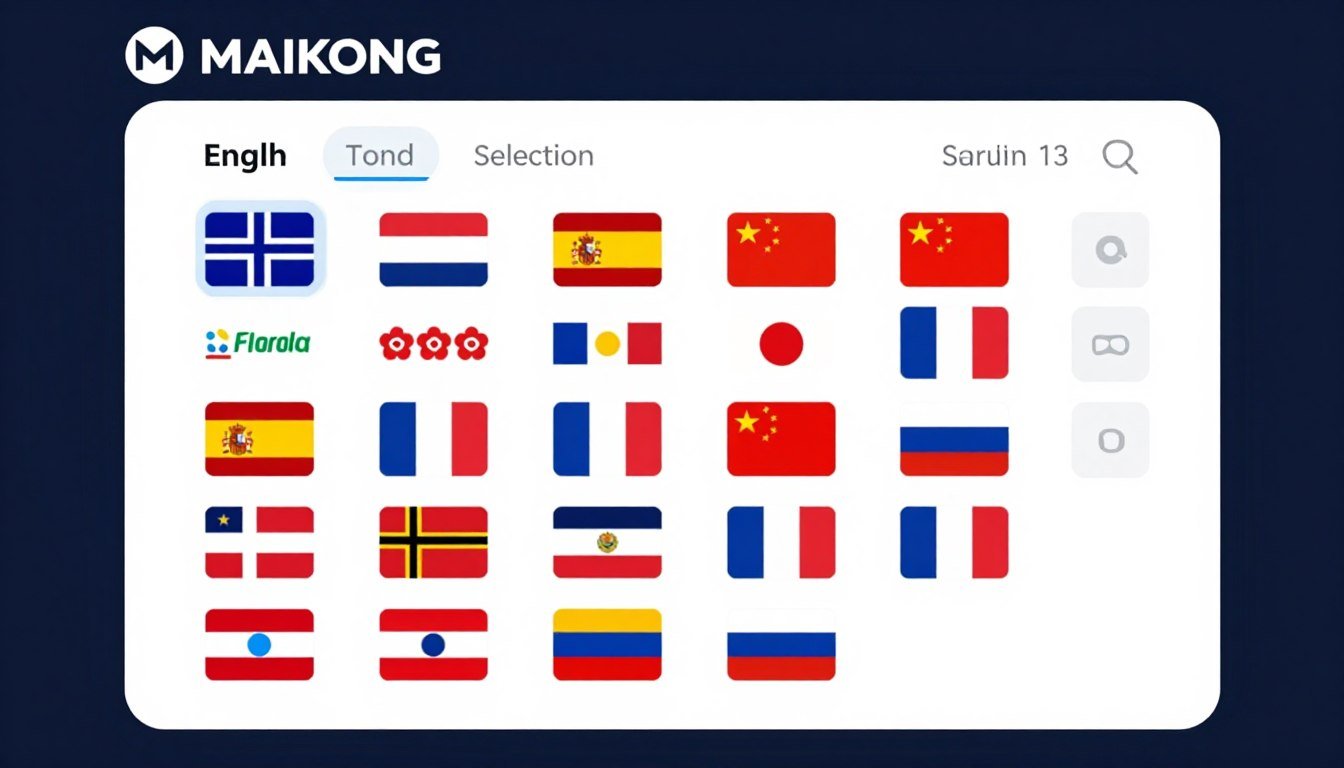
MAIKONG software’s multi-language support interface
| ٻولي |
مطابقت |
نسخو |
Support OEM |
Support ODM |
Resources |
| Malaysian |
Window XP/7/Vista/8/10/11 |
Maikong 2024 |
YES |
YES |
PDF Manual, Online Video |
| اندلسي |
Window XP/7/Vista/8/10/11 |
Maikong 2024 |
YES |
YES |
PDF Manual, Online Video |
| انگريزي |
Window XP/7/Vista/8/10/11 |
Maikong 2024 |
YES |
YES |
PDF Manual, Online Video |
| فرانسي |
Window XP/7/Vista/8/10/11 |
Maikong 2024 |
YES |
YES |
PDF Manual, Online Video |
| روسي |
Window XP/7/Vista/8/10/11 |
Maikong 2024 |
YES |
YES |
PDF Manual, Online Video |
Additional languages supported include Korean, Czech, Polish, Bulgarian, Portuguese, Italian, Japanese, German, Persian (Iranian), Simplified Chinese, Traditional Chinese, and more.
| تفصيل |
تفصيل |
| Product Lifespan |
5-10 years (typical for electronic medical devices) |
| وارنٽي جي مدت |
1 year (excluding damage from improper use) |
| وارنٽي سروس جي جڳھ |
Return to factory for repair service |
MAIKONG کي پنهنجي طور تي ڇو چونڊيو آئيڊولولوجي ڪيمرا سافٽ ويئر and Hardware Provider?
With over 20 years of specialized experience in iridology technology, MAIKONG offers unparalleled expertise and product quality for health practitioners worldwide.

MAIKONG’s state-of-the-art manufacturing facility
سڌو ٺاهيندڙ فائدن
- هارڊويئر حسب ضرورت (ماڊل، ظاهر، رنگ، خاصيتون)
- Software customization (logo, language, functions, product integration)
- چين ۽ آمريڪا ۾ گودامن سان وڏي انوینٽري
- 20+ سال آر&ڊي ۽ پيداوار جو تجربو
- ISO9000 certified production processes
- CE ۽ ISO9000 تصديق ٿيل مصنوعات
سافٽ ويئر صلاحيتون
- Customizable branding with your logo and company details
- 17 language options for global market reach
- Tailored functionality to match your practice needs
- Integration of your specific products and recommendations
- Compatible with Windows and macOS systems
- Regular updates and technical support
Partnership Benefits
- Extensive experience working with training institutes
- Partnerships with supplement companies and direct sales organizations
- Support for clinics and medical practitioners
- OEM/ODM services for over 1,000 clients worldwide
- Rapid market entry with cost-effective solutions
- Comprehensive technical and marketing support
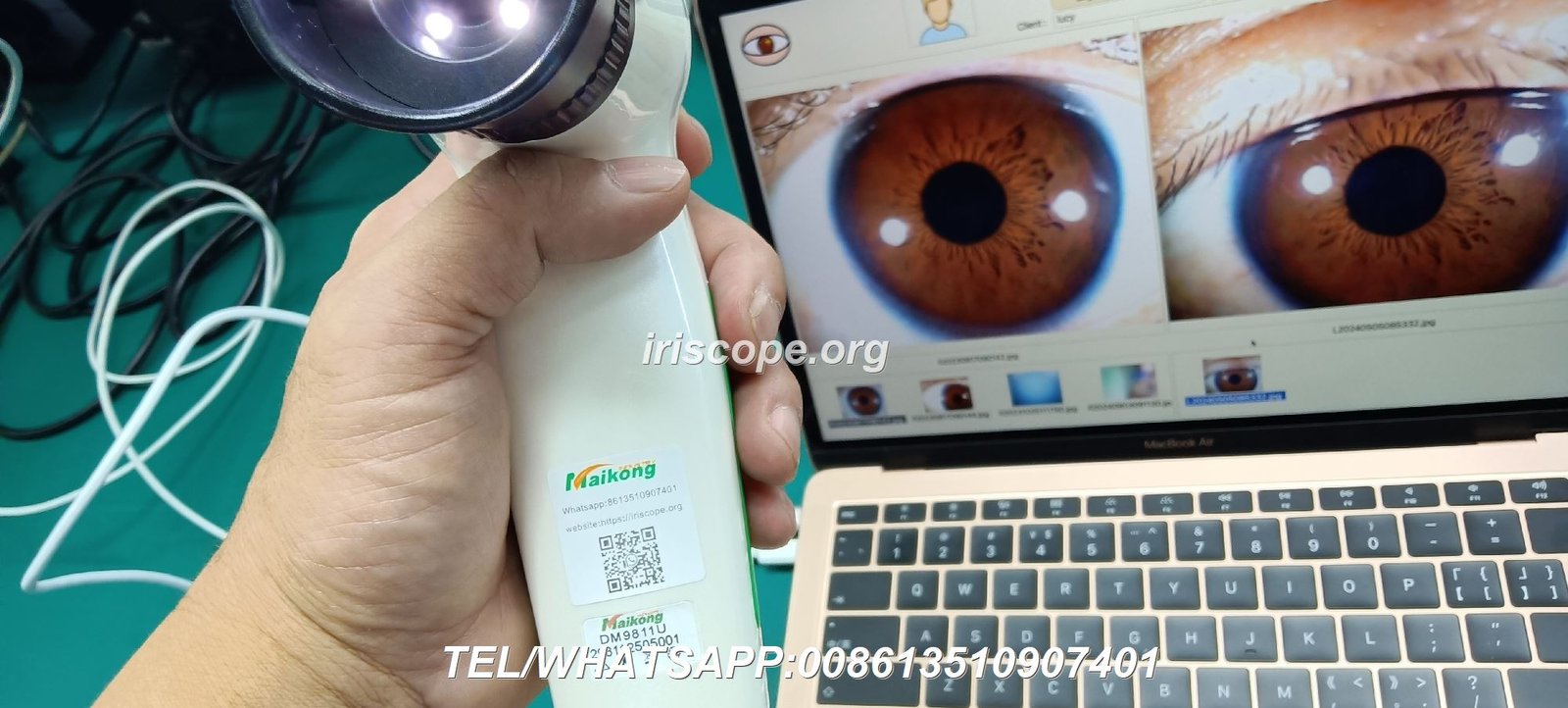

Complete MAIKONG iridology system with camera and software
توهان جي Iridology مشق کي بلند ڪرڻ لاء تيار آهي؟
دريافت ڪريو ڪيئن MAIKONG جي پروفيشنل iridology ڪئميرا سافٽ ويئر and hardware solutions can transform your health analysis capabilities.
پيداوار جي معلومات جي درخواست ڪريو
Applications and Partnerships: Who Uses MAIKONG آئيڊولولوجي ڪيمرا سافٽ ويئر؟
ماکونگ iridology ڪئميرا سافٽ ويئر serves a diverse range of health professionals and organizations worldwide, providing customized solutions for various applications.
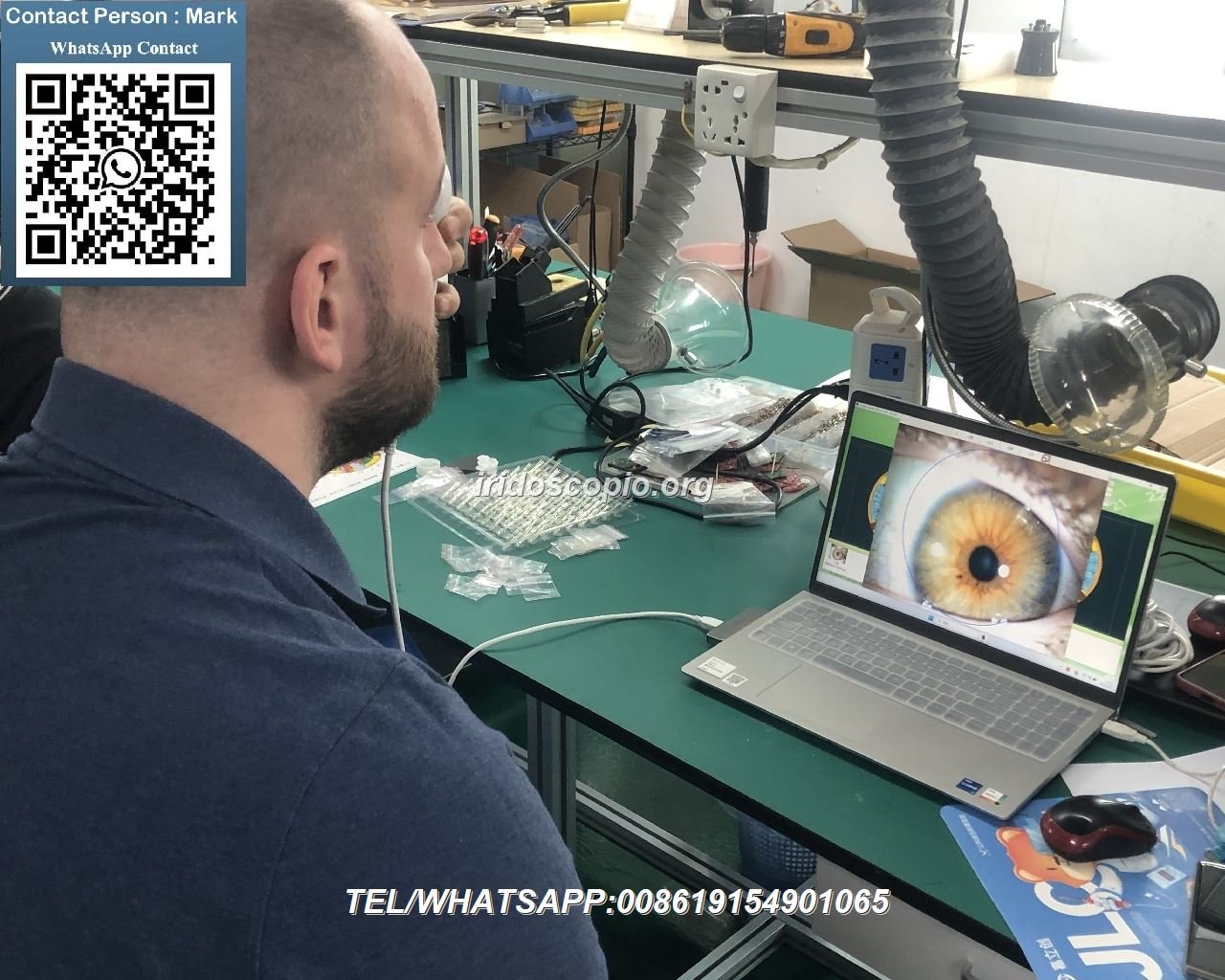
Health practitioner using MAIKONG software during client consultation
Professional Applications
- Holistic health clinics and wellness centers
- Naturopathic practitioners and iridologists
- Nutritional consultants and dietitians
- Complementary medicine specialists
- Health education institutions and training centers
Business Partnerships
- Iridology training institutes and certification programs
- Nutritional supplement manufacturers and distributors
- Direct sales organizations in the health and wellness sector
- Medical equipment suppliers and distributors
- E-commerce platforms including Amazon and eBay sellers
“ماکونگ iridology ڪئميرا سافٽ ويئر has revolutionized how we train new practitioners. The intuitive interface and advanced image enhancement capabilities allow students to quickly identify and understand iris patterns that would otherwise take years to master.”
– Leading Iridology Training Institute

MAIKONG software being used in professional training
Becoming a MAIKONG Distributor or Partner
Join our global network of distributors and partners to bring MAIKONG’s advanced iridology ڪئميرا سافٽ ويئر and hardware solutions to your market. We offer comprehensive support to ensure mutual success.
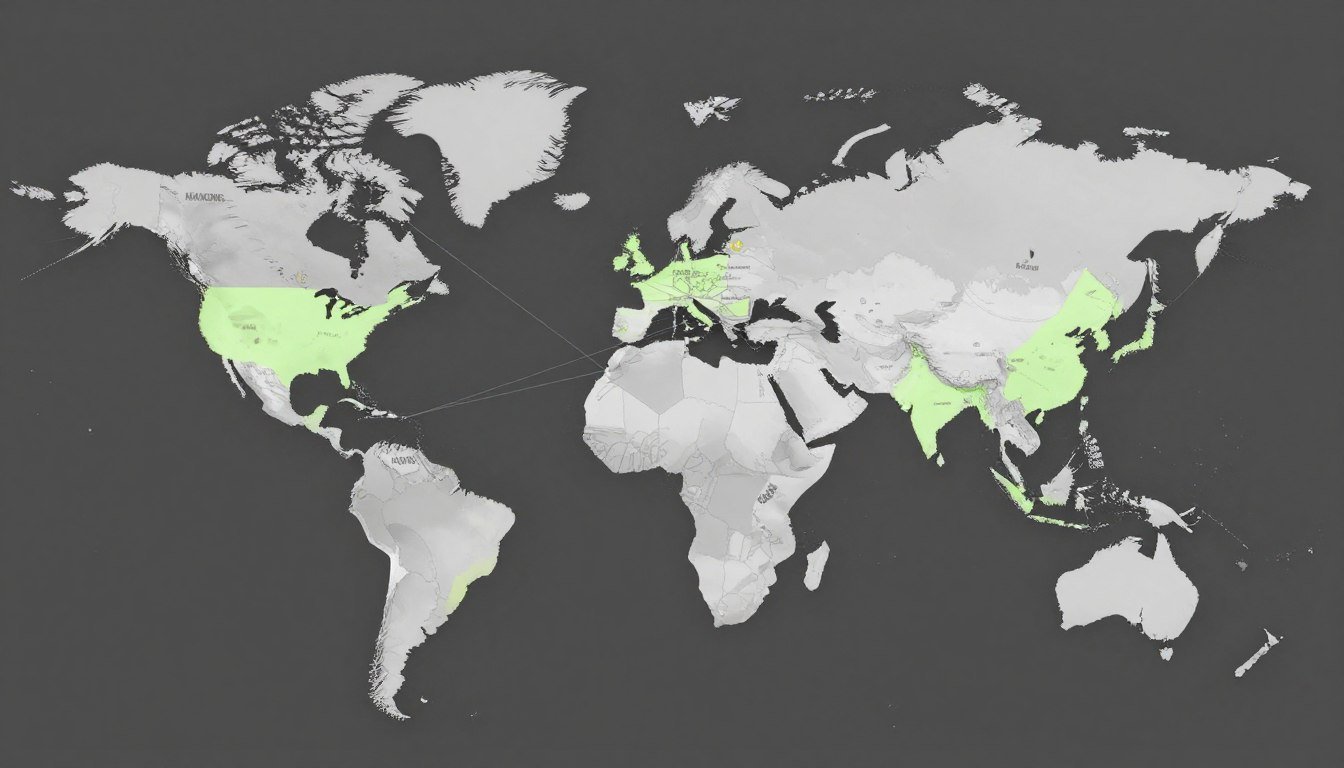
MAIKONG’s expanding global distributor network
Benefits of Becoming a MAIKONG Distributor
- Access to premium, certified iridology technology
- Exclusive territory rights in your region
- Comprehensive product training and technical support
- Marketing materials and sales assistance
- Customization options for your specific market
- Competitive pricing and attractive margins
Requirements for Partnership
- Experience in health equipment distribution or related fields
- Established business presence in your market
- Commitment to minimum annual sales targets
- Ability to provide local customer support
- Willingness to participate in product training
- Investment in demonstration equipment
What kind of OEM/ODM services does MAIKONG offer?
MAIKONG provides comprehensive OEM/ODM services including hardware customization (model design, appearance, color, and features) and software customization (branding, language options, functionality, and product integration). We have successfully delivered these services to over 1,000 clients worldwide, helping them rapidly enter markets while reducing development costs.
What support do distributors receive from MAIKONG?
Distributors receive comprehensive support including product training, technical assistance, marketing materials, and ongoing product updates. Our team works closely with partners to ensure they have the knowledge and resources needed to successfully represent MAIKONG products in their markets. We also provide customization options to help distributors differentiate themselves in competitive markets.
Become a MAIKONG Distributor Today
Join our global network of successful partners and bring MAIKONG’s advanced iridology ڪئميرا سافٽ ويئر to your market.
Apply for Distributorship
Conclusion: Transforming Iridology Practice with Advanced آئيڊولولوجي ڪيمرا سافٽ ويئر
MAIKONG جي پروفيشنل iridology ڪئميرا سافٽ ويئر represents the culmination of over two decades of specialized research and development in the field of iridology technology. By combining advanced image enhancement capabilities with intuitive analysis tools, our software empowers health practitioners to achieve new levels of precision and insight in their iridology practice.
Whether you’re an established iridology practitioner looking to upgrade your technology, a health clinic seeking to expand your diagnostic capabilities, or a distributor interested in bringing cutting-edge iridology solutions to your market, MAIKONG offers the expertise, quality, and support you need to succeed.
پنهنجي Iridology جي مشق کي ايندڙ سطح تي وٺي وڃو
Contact MAIKONG today to learn more about our advanced iridology ڪئميرا سافٽ ويئر and hardware solutions.
اي ميل: Lucy@iriscope.org
ويب سائيٽ: https://iriscope.org


