În peisajul medical digital de astăzi, integrarea instrumentelor specializate de diagnosticare cu sistemele de management al pacienților nu mai este opțională – este esențială pentru eficiența și creșterea practicii. Pentru practicanții de iridologie, conectarea dvs software pentru camere iridologie cu înregistrările pacientului creează un flux de lucru fără întreruperi care îmbunătățește acuratețea diagnosticului, îmbunătățește experiența pacientului și economisește timp prețios. Acest ghid cuprinzător vă va ghida prin procesul de integrare a MAIKONG aparat de fotografiat pentru iridologie sisteme cu fișele dumneavoastră existente ale pacienților, transformându-vă cabinetul într-un model de eficiență tehnologică.
Componentele esențiale ale integrării iridologiei
Înainte de a vă scufunda în procesul de integrare, este esențial să înțelegeți componentele cheie care compun un complet aparat de fotografiat pentru iridologie sistem și modul în care acestea interacționează cu software-ul de înregistrare a pacienților.
Componente hardware
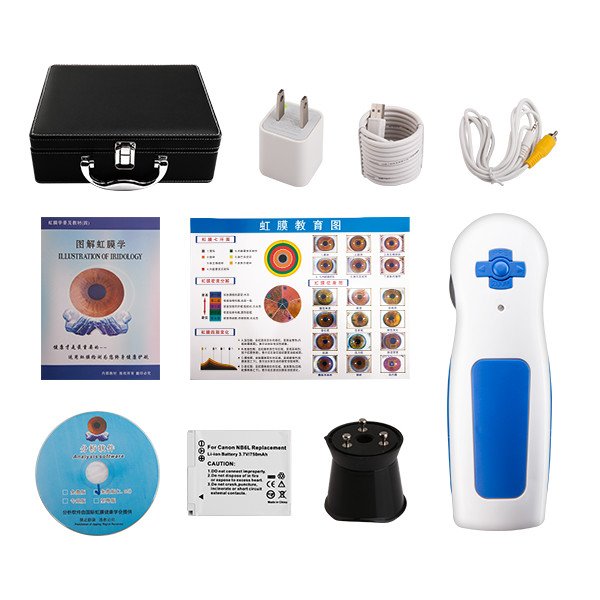
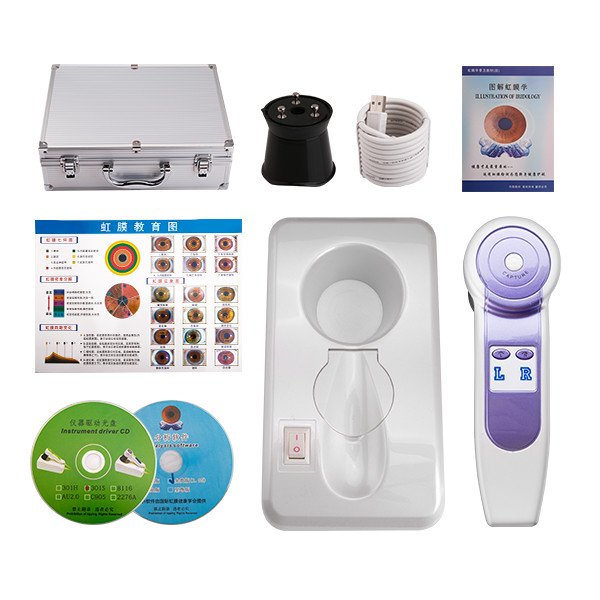
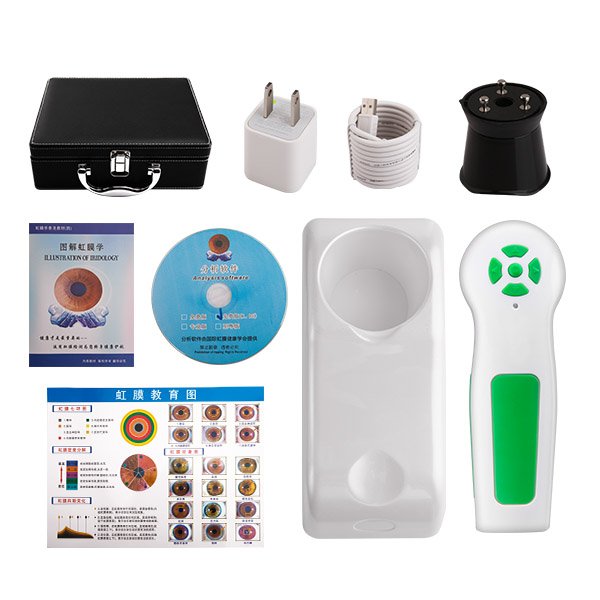
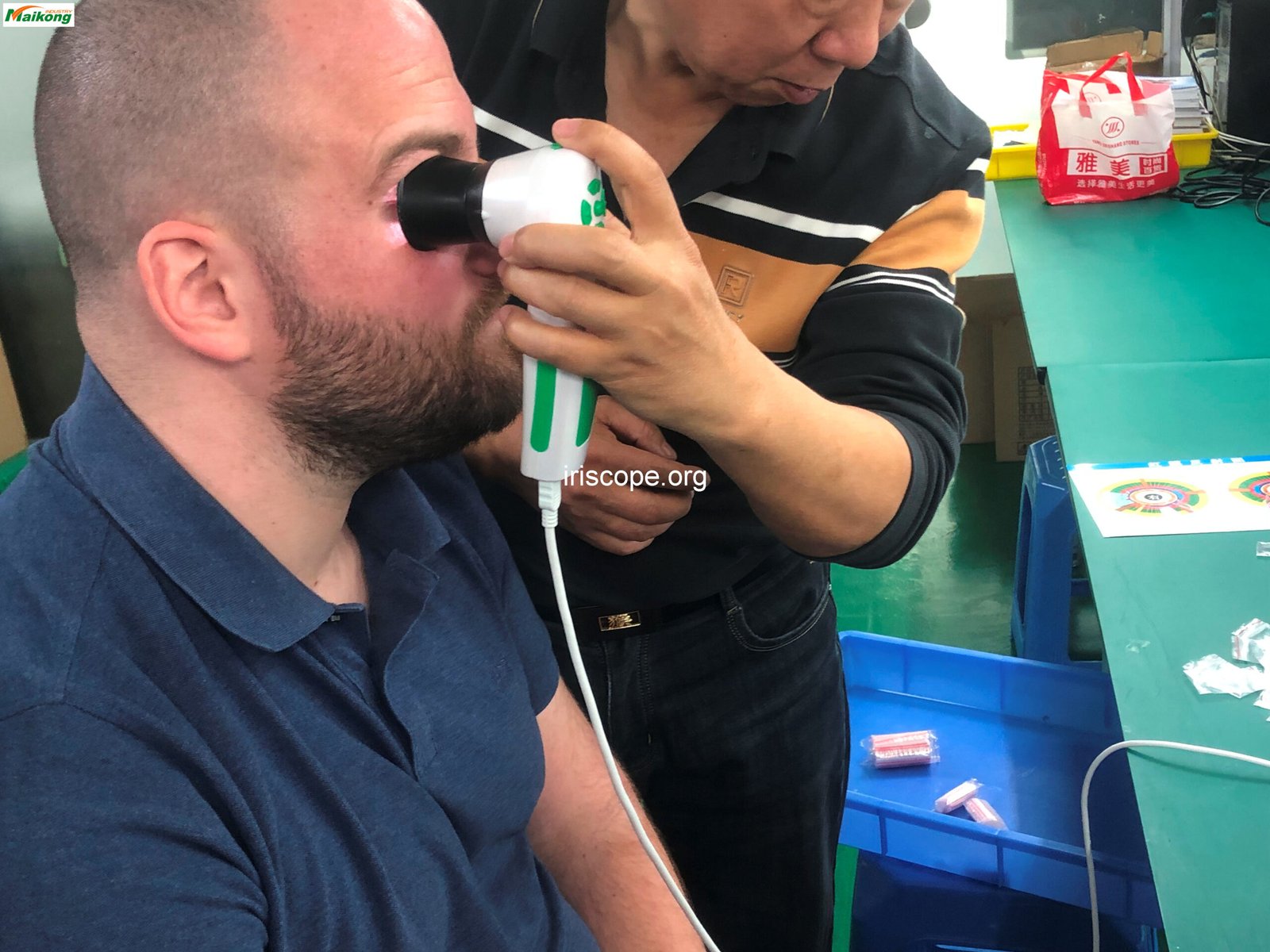
Fundamentul oricărui sistem de iridologie este camera în sine. USB de 5.0MP de la MAIKONG Camera de Iridologie reprezintă vârful tehnologiei imagistice iris cu senzorul său de înaltă rezoluție, sistemul de iluminare specializat și designul ergonomic. Hardware-ul captează imagini detaliate ale irisului care servesc drept bază pentru analiză și diagnosticare.
Caracteristici hardware cheie
- Senzor de înaltă rezoluție de 5,0 megapixeli
- Sistem de iluminare cu 200 LED-uri cu control dublu al lămpii
- Mecanism de focalizare reglabil
- Design ergonomic pentru confortul practicantului
- Conexiune USB directă
- Compatibil cu diverse accesorii de lentile
Componente software
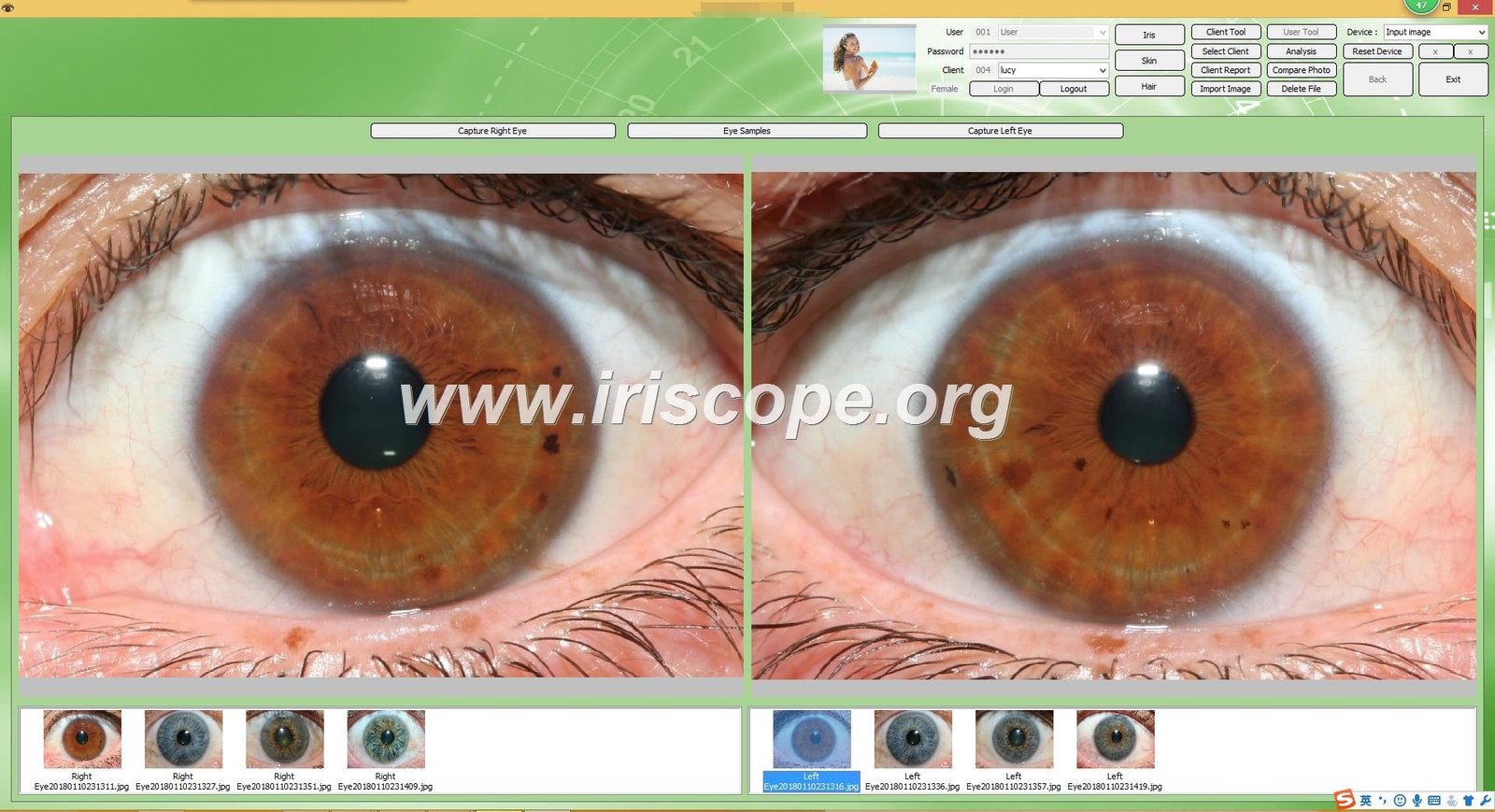
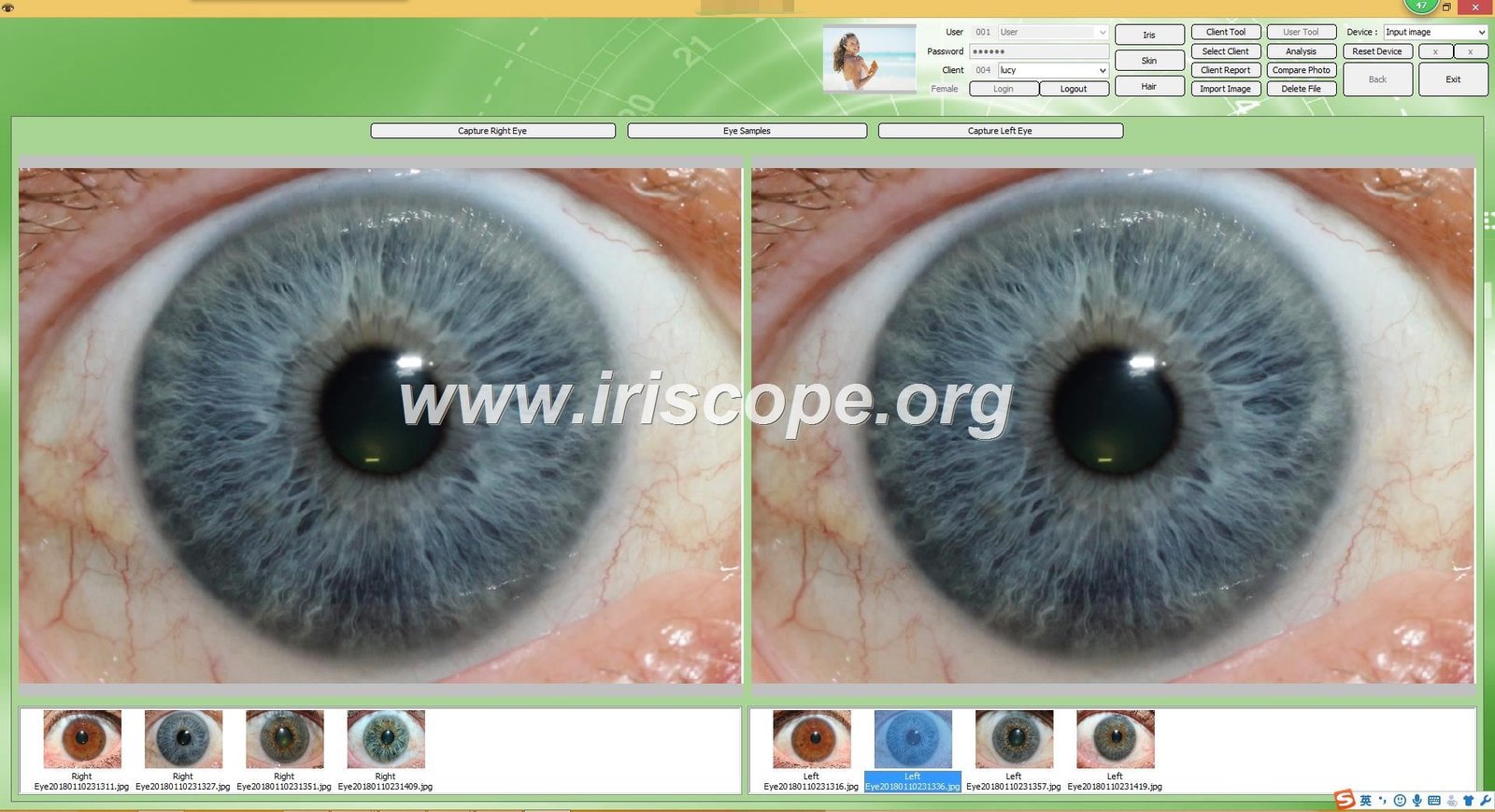
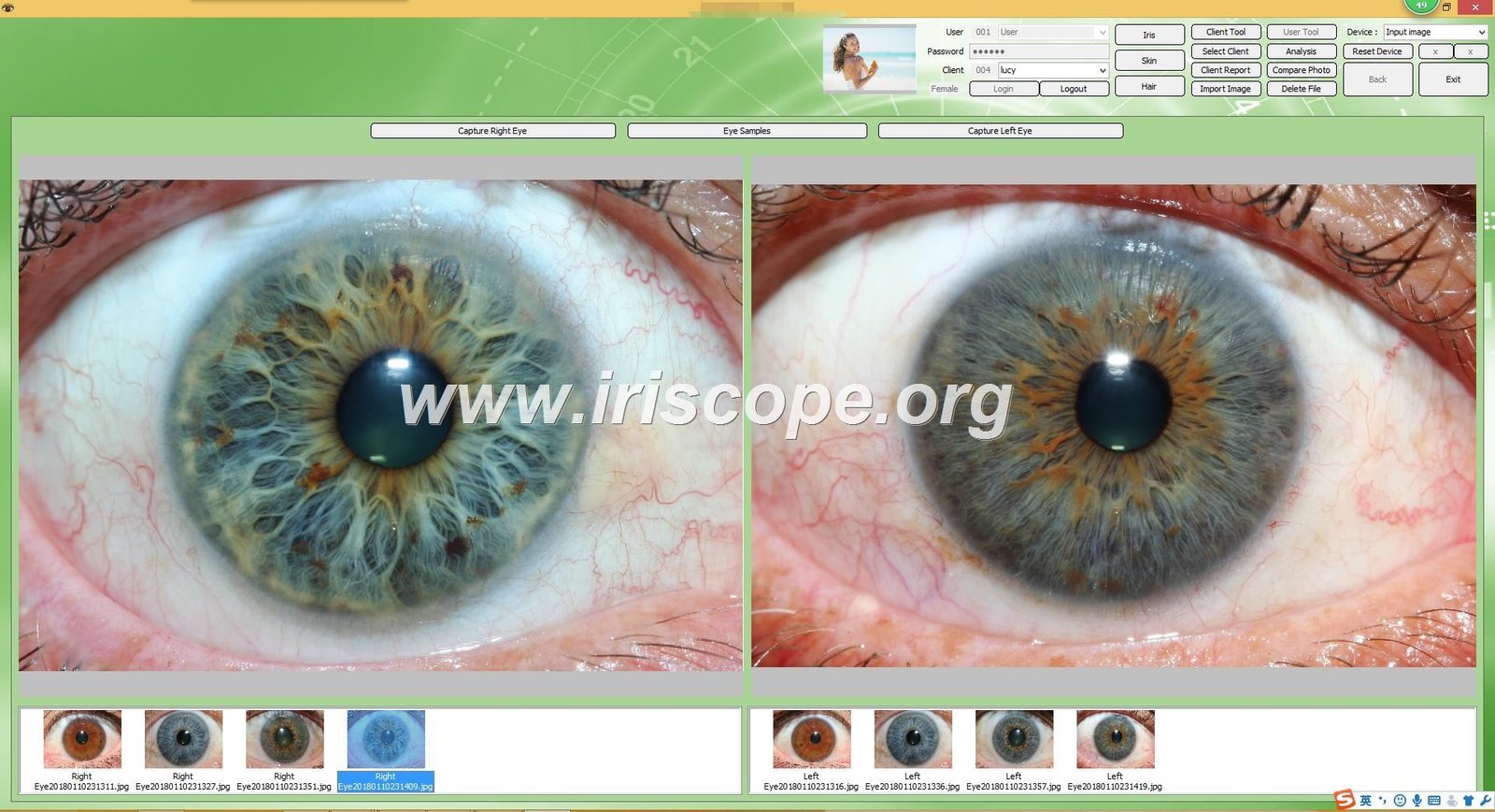
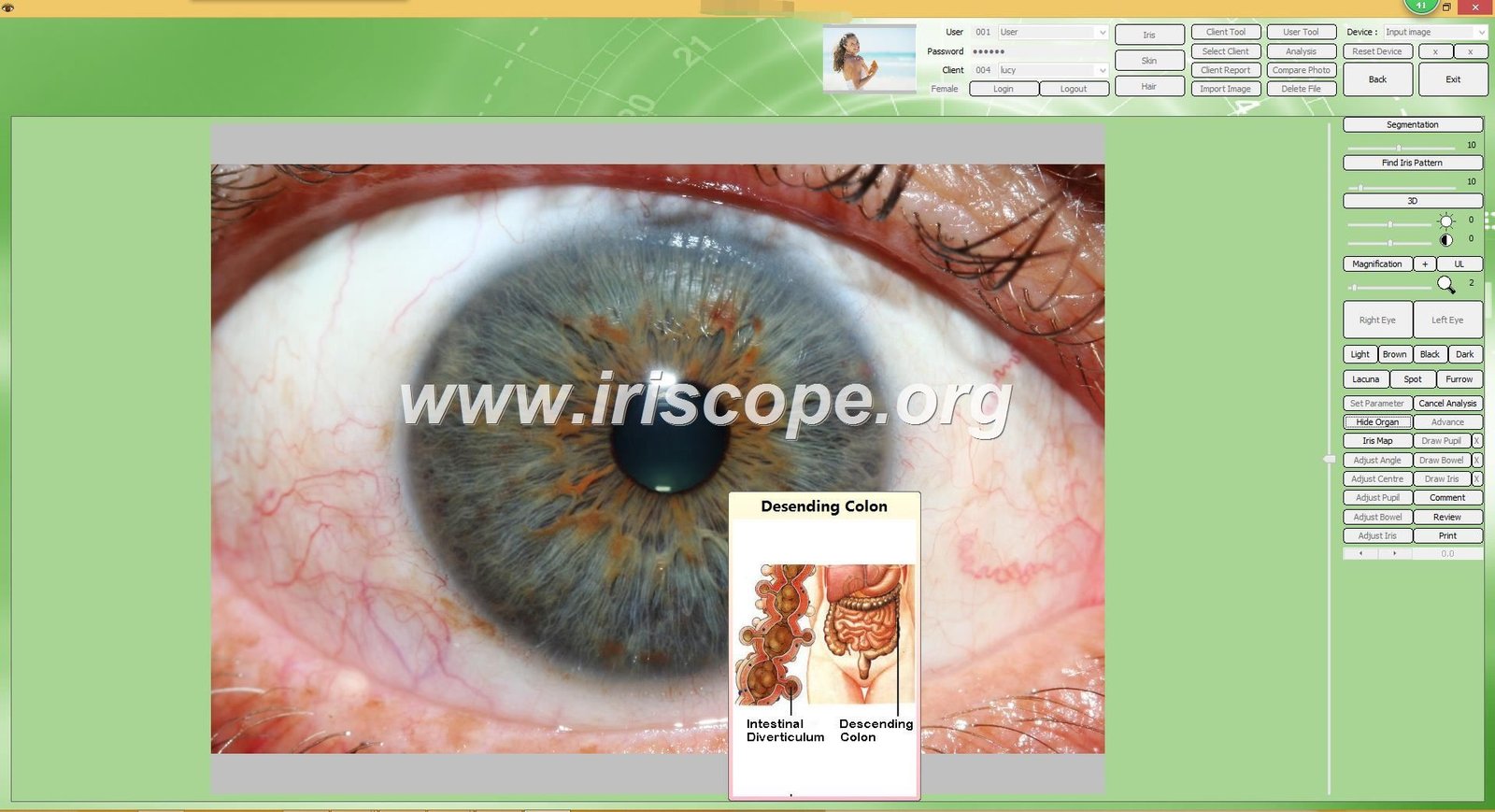
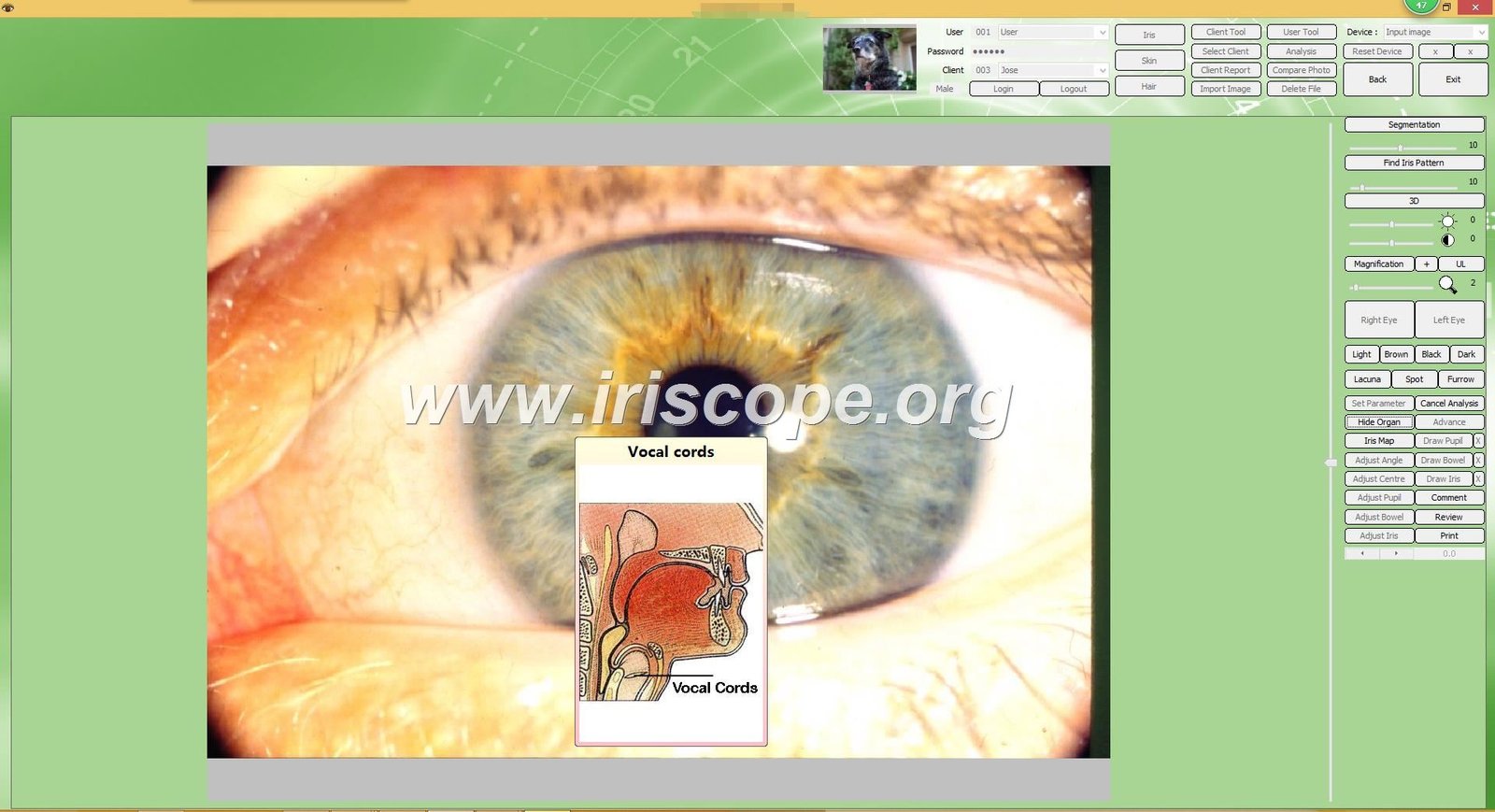
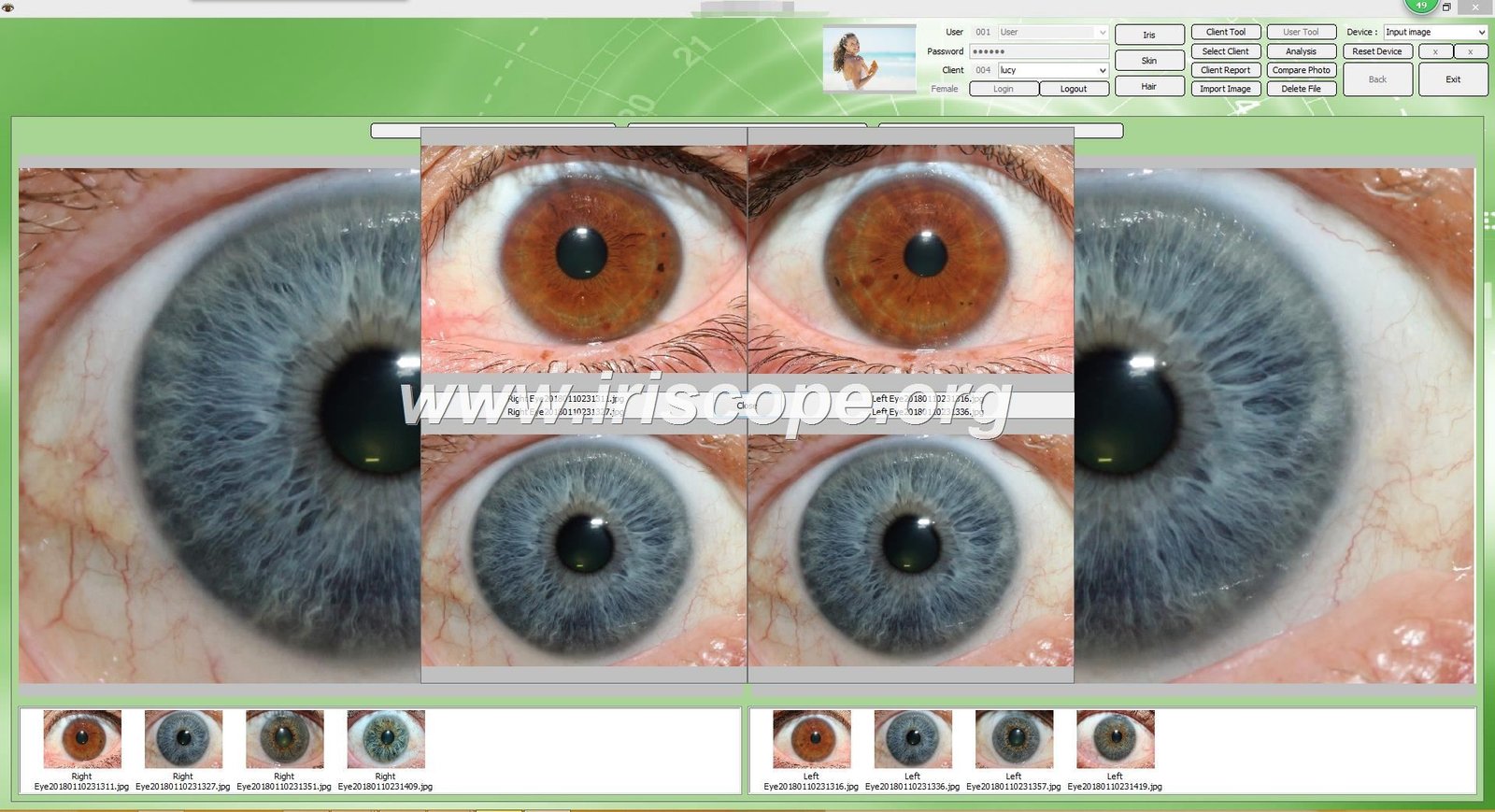
Software-ul de analiză proprietar de la MAIKONG funcționează în tandem cu hardware-ul camerei pentru a procesa, analiza și stoca imaginile irisului. Acest software include instrumente de diagnosticare sofisticate care identifică modele și anomalii la nivelul irisului, corelându-le cu potențialele stări de sănătate conform principiilor iridologiei.
Caracteristici cheie ale software-ului
- Instalare fără driver pentru utilizare imediată
- Gestionarea bazelor de date pentru pacienți
- Instrumente automate de analiză a irisului
- Diagrame de iridologie personalizabile
- Funcționalitate de comparare pentru urmărirea modificărilor
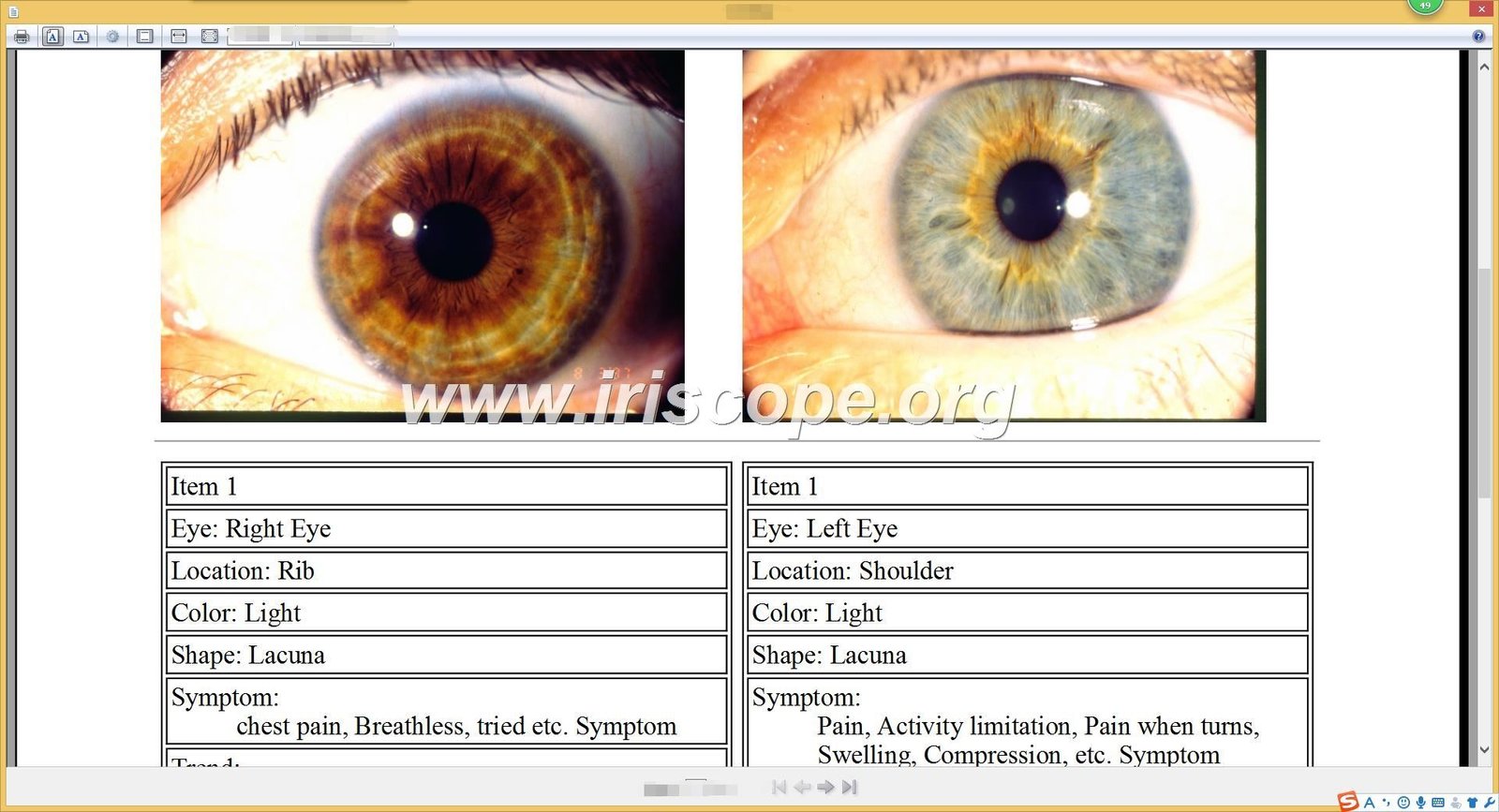
- Capabilitati de generare de rapoarte
Provocarea integrării constă în conectarea acestor componente specializate cu sistemul dvs. de management al pacienților existent, creând un flux de lucru unificat care elimină introducerea redundantă a datelor și asigură înregistrări coerente ale pacienților pe toate platformele.
Lista de verificare înainte de integrare: Pregătirea cabinetului
Integrarea reușită începe cu o pregătire minuțioasă. Această listă de verificare vă va ajuta să vă evaluați sistemele actuale și să identificați cea mai bună abordare pentru practica dumneavoastră.
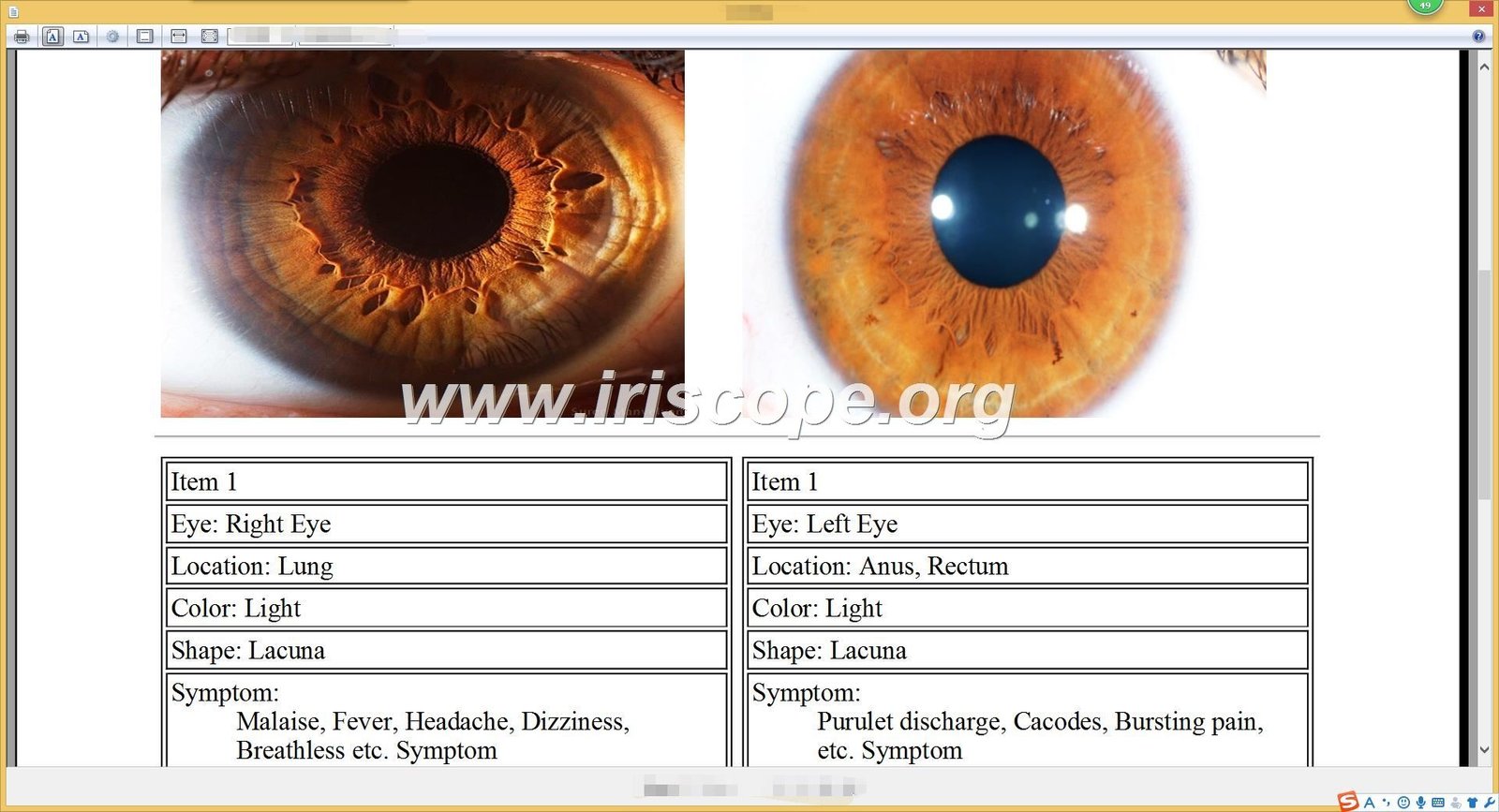
1. Evaluați software-ul curent
Evaluați sistemul dvs. de management al pacienților existent pentru a determina compatibilitatea acestuia cu aplicațiile externe. Întrebările cheie la care trebuie să răspundeți includ:
- Sistemul dvs. actual are capabilități API?
- Poate importa/exporta date în formate standard?
- Furnizorul oferă suport pentru integrare?
- Ce protocoale de securitate sunt în vigoare?
2. Selectați echipamentul potrivit
Alegeți un aparat de fotografiat pentru iridologie sistem care oferă caracteristici favorabile integrării. Modelul USB de 5.0MP de la MAIKONG oferă:
- Funcționare fără driver pentru o configurare ușoară
- Compatibil cu Windows 10, 8, 7, XP, Vista
- Date exportabile în formate standard
- Software cu câmpuri personalizabile
3. Asigurați conformitatea
Verificați dacă abordarea dvs. de integrare respectă toate reglementările relevante privind protecția datelor:
- Conformitatea HIPAA pentru securitatea datelor pacientului
- Protocoale securizate de transmisie a datelor
- Mecanisme adecvate de consimțământ pentru stocarea imaginilor
- Capacități de urmărire de audit pentru toate accesul la date
Pentru sfat: Înainte de a cumpăra orice echipament nou, solicitați o demonstrație de compatibilitate cu software-ul dumneavoastră de gestionare a pacientului. MAIKONG oferă servicii de consultanță gratuite pentru a evalua posibilitățile de integrare cu sistemele dumneavoastră existente.
Metode de integrare: Alegerea abordării potrivite
Există mai multe moduri de a vă conecta aparat de fotografiat pentru iridologie software cu fișe ale pacienților, fiecare cu niveluri diferite de complexitate și automatizare. Alegerea corectă depinde de resursele tehnice, bugetul și nevoile specifice ale fluxului de lucru.

Transfer manual de date
Complexitate: scăzută
Această abordare implică exportul manual de date de pe dvs aparat de fotografiat pentru iridologie software-ul și importarea acestuia în sistemul dumneavoastră de management al pacienților.
- Nu este necesară programarea
- Funcționează cu orice sistem care acceptă importuri
- Fără costuri suplimentare de software
- Control complet asupra datelor transferate
Cel mai bun pentru: Cabinete mici cu resurse tehnice limitate sau volum scăzut de pacienți.
Limitări
Eficiență: scăzută
- Proces manual consumator de timp
- Potențial de eroare umană în timpul transferului
- Necesită convenții de denumire consistente
- Fără sincronizare a datelor în timp real
- Dificil de întreținut cu un volum mare de pacienți
Integrare API
Complexitate: mare
Comunicare directă între software-ul MAIKONG și sistemul dumneavoastră de management al pacientului prin interfețe de programare.
- Transfer de date complet automat
- Sincronizare în timp real
- Risc redus de erori de introducere a datelor
- Experiență de utilizator fără întreruperi
Cel mai bun pentru: Practici mai mari cu suport IT și sisteme moderne de management al pacienților.
Limitări
Eficiență: ridicată
- Necesită expertiză tehnică sau asistență pentru dezvoltatori
- Poate implica costuri suplimentare pentru accesul la API
- Depinde de capabilitățile API disponibile
- Potențiale probleme de compatibilitate cu actualizările
Soluții Middleware
Complexitate: Medie
Folosind software terță parte pentru a reduce decalajul dintre dvs aparat de fotografiat pentru iridologie evidențele sistemului și ale pacienților.
- Transfer automat de date fără programare complexă
- Funcționează cu sisteme care nu au suport direct API
- Reguli de integrare personalizabile
- Poate integra mai multe sisteme simultan
Cel mai bun pentru: Practici de dimensiuni medii care caută automatizare fără cerințe tehnice extinse.
Limitări
Eficiență: medie
- Costuri suplimentare pentru software
- Potențial de complexitate a configurației
- Un alt sistem de întreținut și actualizat
- Poate introduce ușoare întârzieri în sincronizarea datelor
Suport pentru integrare MAIKONG: Echipa noastră tehnică poate ajuta la evaluarea metodei de integrare care se potrivește cel mai bine nevoilor dumneavoastră de practică. Cu peste 20 de ani de experiență în aparat de fotografiat pentru iridologie sisteme, am ajutat sute de practicieni să realizeze o integrare perfectă a fluxului de lucru.
Ghid de configurare pas cu pas pentru sistemele MAIKONG
Urmați acest tutorial practic pentru a configura și integra MAIKONG aparat de fotografiat pentru iridologie cu fișa pacientului. Acest ghid folosește software-ul fără drivere de la MAIKONG ca exemplu.

Configurare hardware inițială
- Despachetați USB-ul MAIKONG de 5.0MP Camera de Iridologie sistem
- Conectați cablul USB la computer
- Poziționați camera pe o suprafață sau un suport stabil
- Reglați setările de iluminare LED folosind comenzile de pe mâner
Instalare și configurare software
- Introduceți CD-ul software furnizat sau descărcați cea mai recentă versiune de pe iridoscope.org
- Rulați expertul de instalare și urmați instrucțiunile
- Lansați software-ul și finalizați configurarea inițială
- Configurați locația implicită de salvare pentru imaginile pacientului
- Configurați profilul de medic și detaliile clinicii
Configurarea câmpului de date pacient
- Navigați la Setări > Câmpurile pacientului în software-ul MAIKONG
- Personalizați câmpurile de informații despre pacient pentru a se potrivi înregistrărilor dvs. existente
- Activați câmpul unic ID pacient pentru referințe încrucișate
- Configurați câmpurile obligatorii pentru a asigura colectarea consecventă a datelor
- Configurați convențiile automate de denumire a fișierelor pe baza ID-urilor pacientului
Configurare integrare
| Metoda de integrare |
Etape de configurare |
Instrumente necesare |
Procesul de verificare |
| Export/Import manual |
1. Configurați șabloanele de export
2. Configurați formatele de fișiere
3. Stabiliți convențiile de denumire a fișierelor |
Nici unul |
Testați exportul și importul cu eșantionul de pacient |
| Integrare API |
1. Obțineți acreditări API
2. Configurați setările de conexiune
3. Câmpurile de date ale hărții
4. Setați frecvența de sincronizare |
Documentație API, acces pentru dezvoltatori |
Executați sincronizarea de testare și verificați transferul de date |
| Soluție Middleware |
1. Instalați software-ul middleware
2. Configurați sursa și destinația
3. Configurați regulile de mapare a datelor
4. Stabiliți evenimente declanșatoare |
Software middleware, ghid de configurare |
Testați fluxul de lucru complet cu pacientul eșantion |
Important: Creați întotdeauna o copie de rezervă a datelor pacientului înainte de a implementa orice soluție de integrare. Testați integral integrarea cu date eșantioane înainte de a o utiliza cu înregistrările reale ale pacienților.
Optimizarea fluxului de lucru clinic cu sisteme integrate
Un integrat corespunzător aparat de fotografiat pentru iridologie sistemul transformă fluxul de lucru al cabinetului dumneavoastră, creând eficiență în fiecare etapă a călătoriei pacientului.
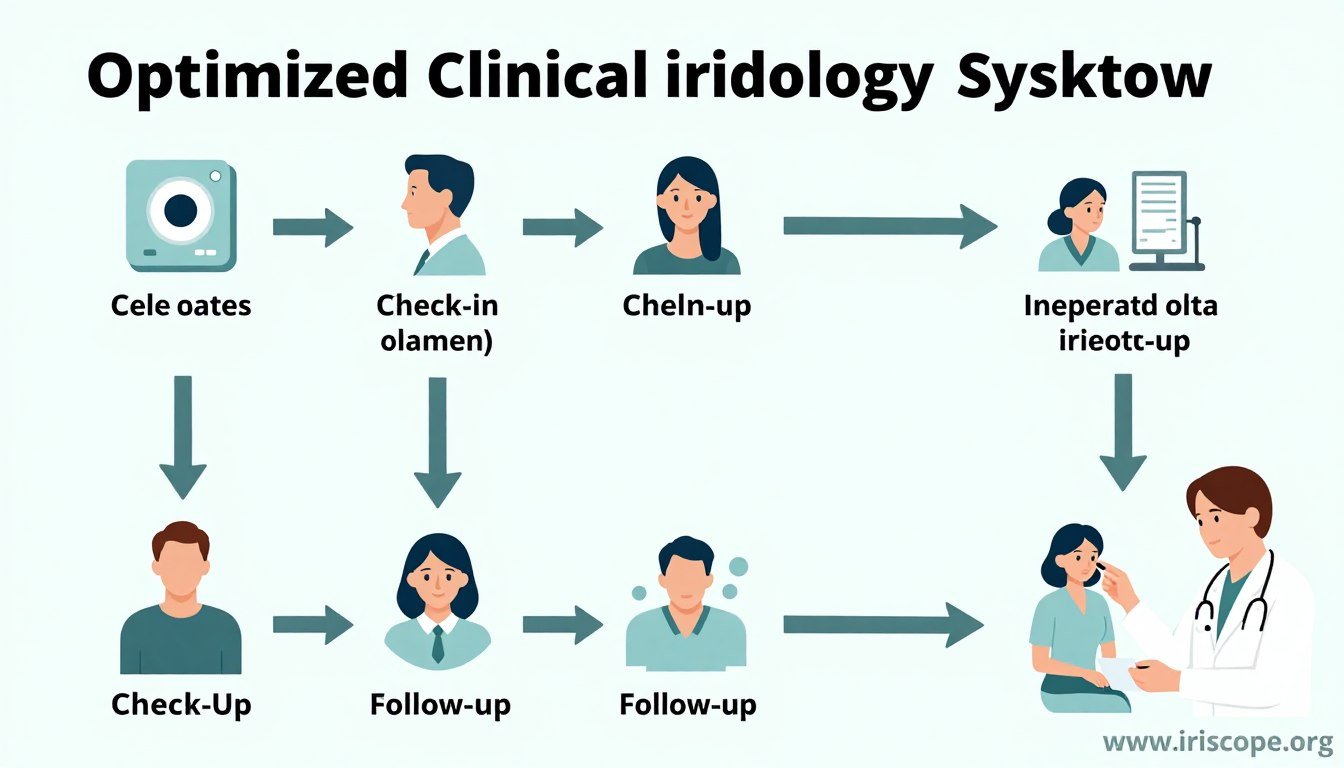
Transformarea aportului de pacienți
Cu sistemele integrate, înregistrarea pacientului devine simplificată și fără erori:
Înainte de Integrare
- Duplicați introducerea datelor în mai multe sisteme
- Erori de transcriere între sisteme
- Procese manuale consumatoare de timp
- Înregistrările pacientului inconsecvente
După integrare
- Introducerea datelor într-un singur punct
- Popularea automată a detaliilor pacientului
- Timp administrativ redus
- Înregistrări consistente în toate sistemele
Analiză și diagnosticare îmbunătățite
Integrarea îmbunătățește procesul de diagnostic prin oferirea unui context cuprinzător al pacientului:
- Acces la istoricul complet al pacientului în timpul analizei
- Comparație alăturată cu imaginile anterioare ale irisului
- Corelarea constatărilor irisului cu simptomele raportate
- Note integrate de la alți practicieni
- Vedere cuprinzătoare a călătoriei sănătății pacientului
Raportare și urmărire simplificate
Sistemele integrate revoluționează modul în care comunicați constatările și urmăriți progresul:
- Generare automată de rapoarte cu imagini și analize iris
- Adăugarea directă a constatărilor la dosarele pacientului
- Urmărirea simplificată a eficacității tratamentului
- Programare automată de urmărire bazată pe constatări
- Partajarea simplă a rapoartelor cu pacienții sau sursele de trimitere
“De când ne-am integrat MAIKONG aparat de fotografiat pentru iridologie cu software-ul nostru de gestionare a pacienților, am redus timpul de administrare cu 35% și am crescut capacitatea de a vedea pacienții cu aproape 20%. Fluxul de lucru fără întreruperi a transformat eficiența cabinetului nostru.”
— Dr. Sarah Johnson, medic holistic în sănătate
Depanarea problemelor comune de integrare
Chiar și cele mai bune sisteme de integrare întâmpină ocazional provocări. Iată cum să rezolvi cele mai frecvente probleme:
Camera nu este recunoscută de software
Cauze posibile:
- Probleme de conectare USB
- Conflicte de șoferi
- Probleme de compatibilitate software
Solutii:
- Încercați un alt port USB, de preferință direct pe computer (nu printr-un hub)
- Reporniți atât camera, cât și computerul
- Verificați că sistemul dvs. de operare este compatibil cu software-ul MAIKONG
- Verificați actualizările Windows care ar putea afecta recunoașterea dispozitivului USB
Imaginile nu se salvează în înregistrările pacientului
Cauze posibile:
- Configurare incorectă a căii fișierului
- Probleme cu permisiunea folderelor
- Integrare deconectată
Solutii:
- Verificați calea locației de salvare în setări
- Verificați permisiunile folderului și asigurați-vă accesul la scriere
- Testați funcția de salvare cu un eșantion de pacient
- Confirmați că câmpurile ID pacientului se potrivesc între sisteme
Eșecuri de sincronizare a datelor
Cauze posibile:
- Probleme de conectivitate la rețea
- Eșecuri de autentificare API
- Nepotriviri de format de date
Solutii:
- Verificați conexiunea la internet și setările firewall-ului
- Verificați acreditările API și reîmprospătați tokenurile dacă este necesar
- Examinați configurațiile de cartografiere a datelor
- Verificați actualizările recente ale oricărui sistem care ar putea afecta compatibilitatea
Suport tehnic MAIKONG: Echipa noastră de asistență dedicată este disponibilă pentru a ajuta la rezolvarea oricăror probleme de integrare. Contactați-ne la Lucy@iriscope.org sau prin WhatsApp la adresa +86 13 5109 07401 pentru asistență promptă.
Asigurați-vă viitorul practicii dvs. integrate de iridologie
Tehnologia evoluează rapid, iar menținerea unui sistem integrat eficient necesită planificare pentru viitor. Iată cum să vă asigurați aparat de fotografiat pentru iridologie integrarea rămâne eficientă pentru anii următori.
Actualizări regulate de software
Păstrați toate componentele sistemului dvs. integrat actuale:
- Activați actualizările automate atunci când sunt disponibile
- Programați revizuiri trimestriale ale sistemului
- Abonați-vă la notificările de actualizare MAIKONG
- Testați integrarea după actualizări majore
Backup cuprinzător de date
Protejați-vă datele și analizele valoroase ale pacientului:
- Implementați backup-uri zilnice automate
- Stocați copii de rezervă în mai multe locații
- Testați periodic procedurile de restaurare
- Includeți imaginile irisului în protocoalele de rezervă
Scalarea sistemului
Pregătiți-vă pentru creșterea practicii și progresul tehnologic:
- Alegeți sisteme cu capabilități extensibile
- Luați în considerare soluțiile bazate pe cloud pentru flexibilitate
- Planificați accesul pentru mai mulți practicieni
- Evaluați opțiunile de analiză îmbunătățite de IA
MAIKONG continuă să inoveze în aparat de fotografiat pentru iridologie tehnologie, cu actualizări regulate atât pentru hardware cât și pentru software. Foaia noastră de parcurs pentru produse include capabilități îmbunătățite de integrare, analiză asistată de AI și soluții de gestionare a pacienților bazate pe cloud, concepute special pentru practicienii în iridologie.
Concluzie: Transformați-vă cabinetul cu sisteme integrate de iridologie
Integrarea dvs aparat de fotografiat pentru iridologie software-ul cu înregistrări ale pacienților este mai mult decât o actualizare tehnică - este o transformare a practicii care îmbunătățește fiecare aspect al îngrijirii pacientului. De la aport simplificat la analiză cuprinzătoare și urmărire eficientă, integrarea creează un flux de lucru fără întreruperi care aduce beneficii atât medicilor, cât și pacienților.
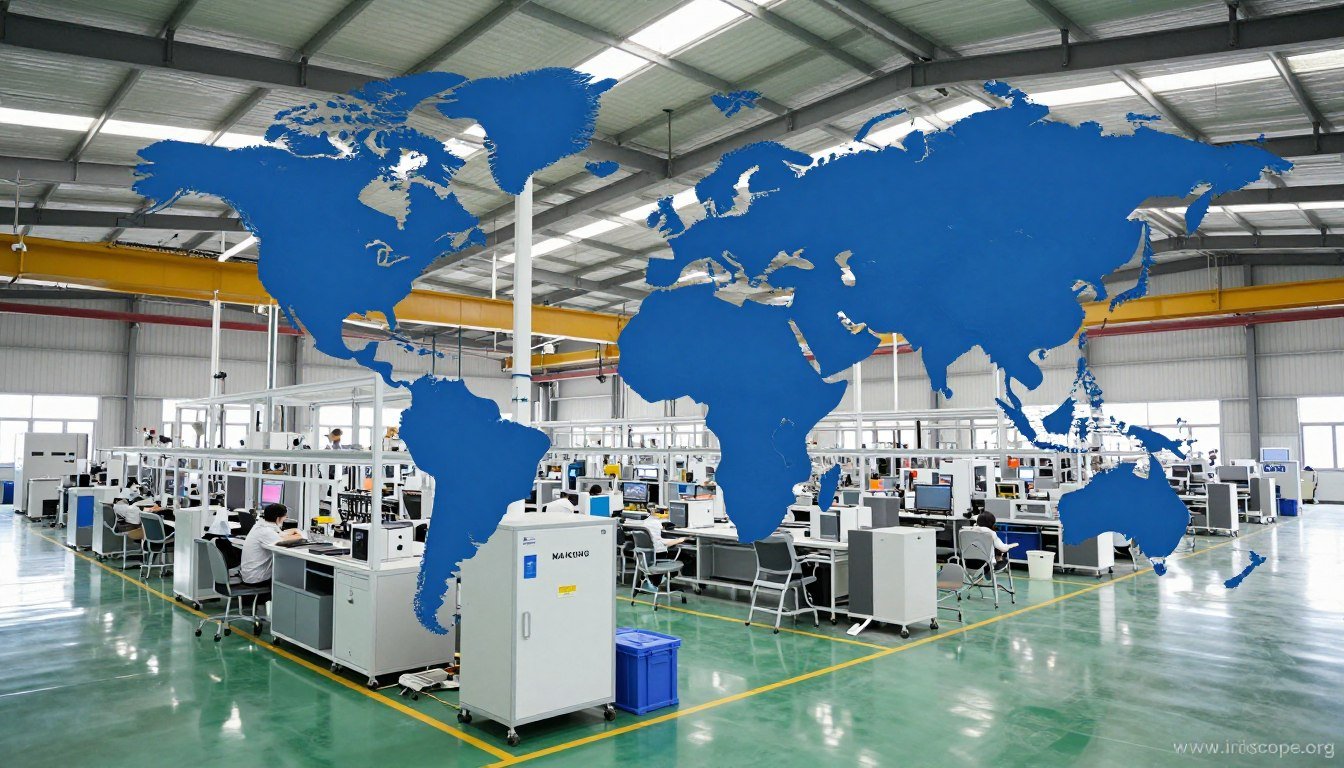
Cu peste 20 de ani de experiență în dezvoltarea de echipamente de ultimă oră pentru iridologie, MAIKONG este gata să vă sprijine practica cu tehnologie de ultimă oră și expertiză în integrare. Angajamentul nostru față de inovație și succesul practicienilor ne-a făcut alegerea preferată pentru profesioniștii în iridologie din peste 50 de țări din întreaga lume.
Sunteți gata să vă transformați practica de iridologie?
Contactați MAIKONG astăzi pentru a discuta despre nevoile dvs. de integrare și pentru a descoperi modul în care este avansat aparat de fotografiat pentru iridologie sistemele vă pot îmbunătăți eficiența cabinetului și capacitățile de diagnosticare.
Explorați produsele MAIKONG
Sunați sau WhatsApp: +86 13 5109 07401
E-mail: Lucy@iriscope.org
Deveniți distribuitor MAIKONG în SUA
Alăturați-vă rețelei noastre în creștere de distribuitori de succes și aduceți premium MAIKONG aparat de fotografiat pentru iridologie sisteme pentru practicienii din regiunea dvs. Oferim asistență completă, prețuri competitive și teritorii exclusive pentru parteneri calificați.
Oportunități de distribuitor
Contactați echipa noastră de parteneriat la Lucy@iriscope.org pentru a discuta cerințele și beneficiile distribuitorului.