در چشمانداز مراقبتهای بهداشتی دیجیتال امروزی، ادغام ابزارهای تشخیصی تخصصی با سیستمهای مدیریت بیمار دیگر اختیاری نیست - برای کارایی و رشد تمرین ضروری است. برای پزشکان ایریدولوژی، اتصال شما نرم افزار دوربین ایریدولوژی با سوابق بیمار یک گردش کار یکپارچه ایجاد می کند که دقت تشخیصی را افزایش می دهد، تجربه بیمار را بهبود می بخشد و در زمان با ارزش صرفه جویی می کند. این راهنمای جامع شما را در فرآیند یکپارچه سازی MAIKONG راهنمایی می کند دوربین ایریدولوژی سیستم هایی با سوابق بیمار موجود شما، که عمل شما را به مدلی از کارایی فن آوری تبدیل می کند.
مولفه های ضروری ادغام ایریدولوژی
قبل از فرو رفتن در فرآیند یکپارچه سازی، درک اجزای کلیدی که یک کامل را تشکیل می دهند بسیار مهم است دوربین ایریدولوژی سیستم و نحوه تعامل آنها با نرم افزار ثبت بیمار.
قطعات سخت افزاری
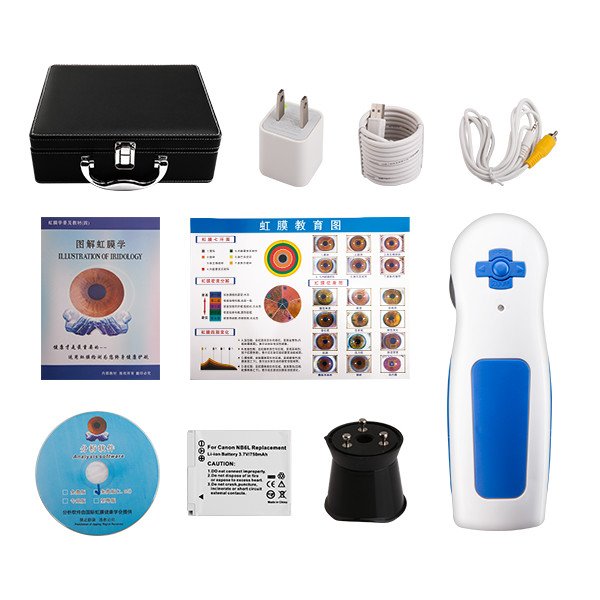
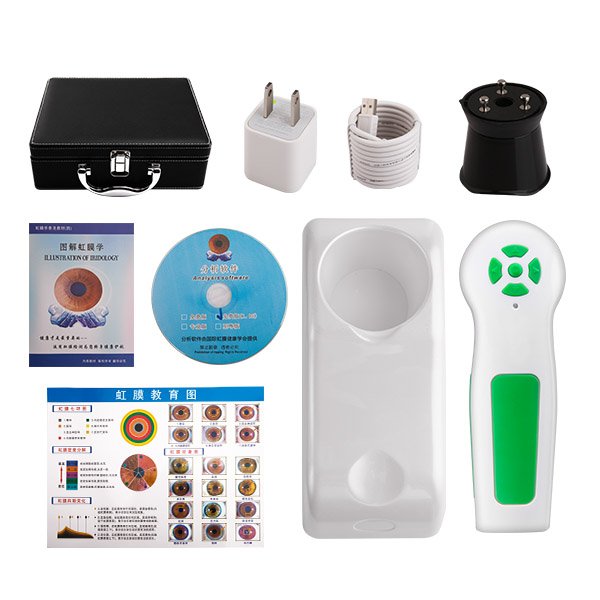
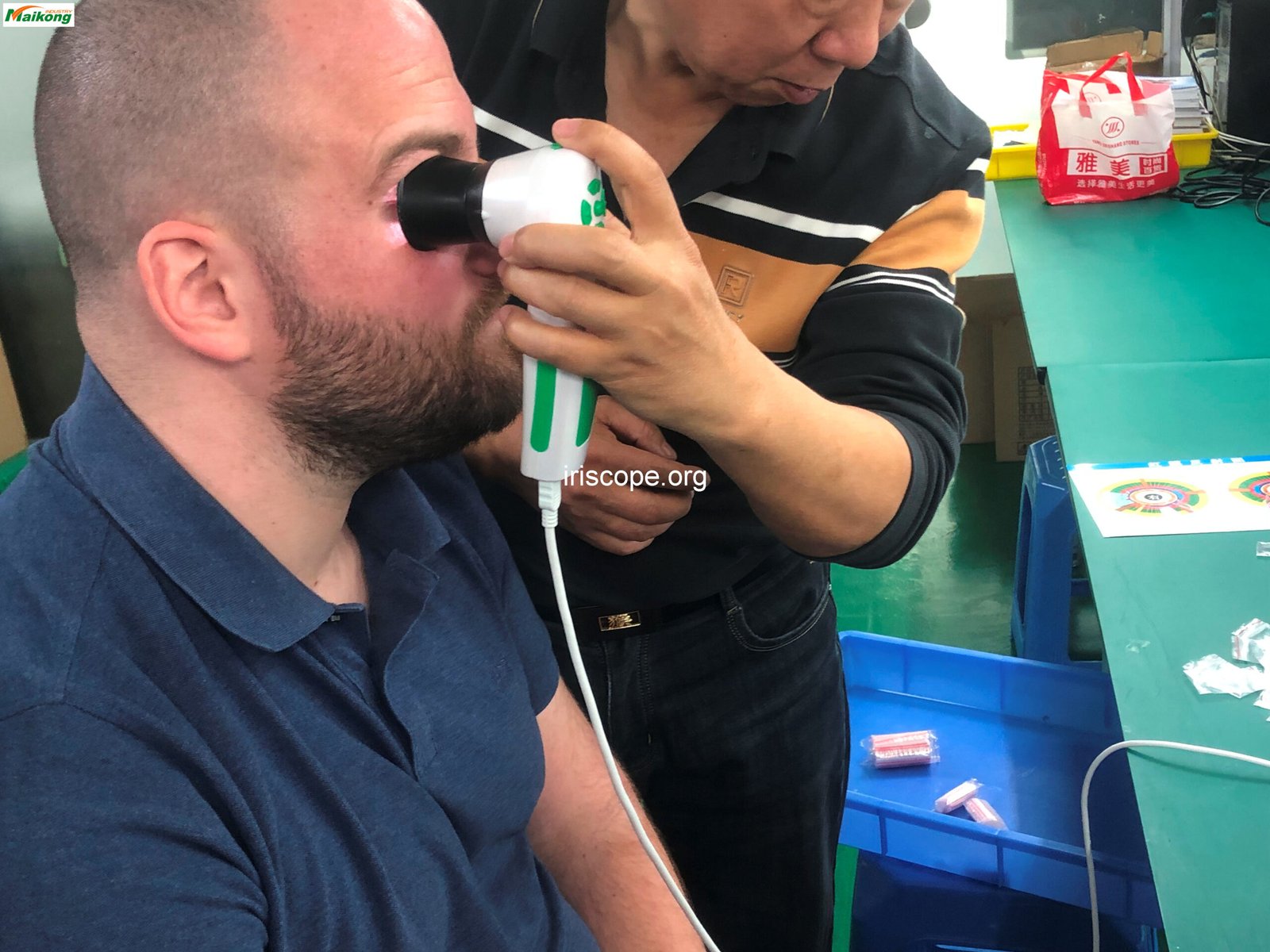
اساس هر سیستم ایریدولوژی خود دوربین است. USB 5.0MP MAIKONG دوربین ایریدولوژی اوج فناوری تصویربرداری عنبیه را با حسگر با وضوح بالا، سیستم نورپردازی تخصصی و طراحی ارگونومیک خود نشان می دهد. این سخت افزار تصاویر دقیق عنبیه را می گیرد که به عنوان پایه ای برای تجزیه و تحلیل و تشخیص عمل می کند.
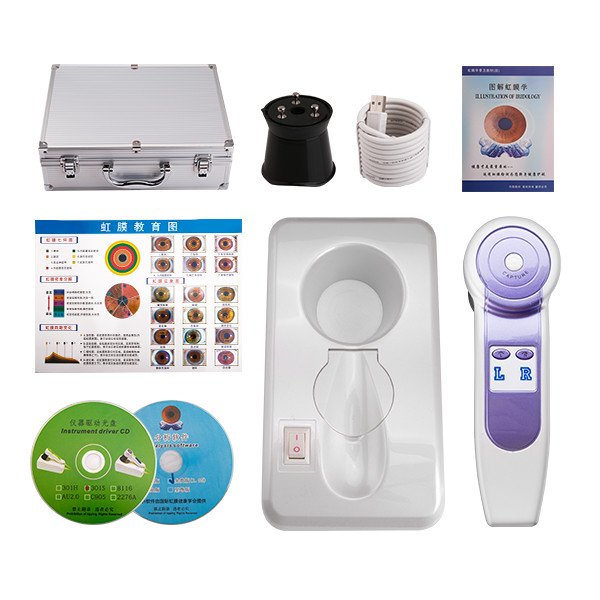
ویژگی های کلیدی سخت افزار
- سنسور 5.0 مگاپیکسلی با وضوح بالا
- سیستم روشنایی 200 LED با کنترل لامپ دوگانه
- مکانیسم فوکوس قابل تنظیم
- طراحی ارگونومیک برای راحتی پزشک
- اتصال مستقیم USB
- سازگار با انواع ضمائم لنز
اجزای نرم افزار
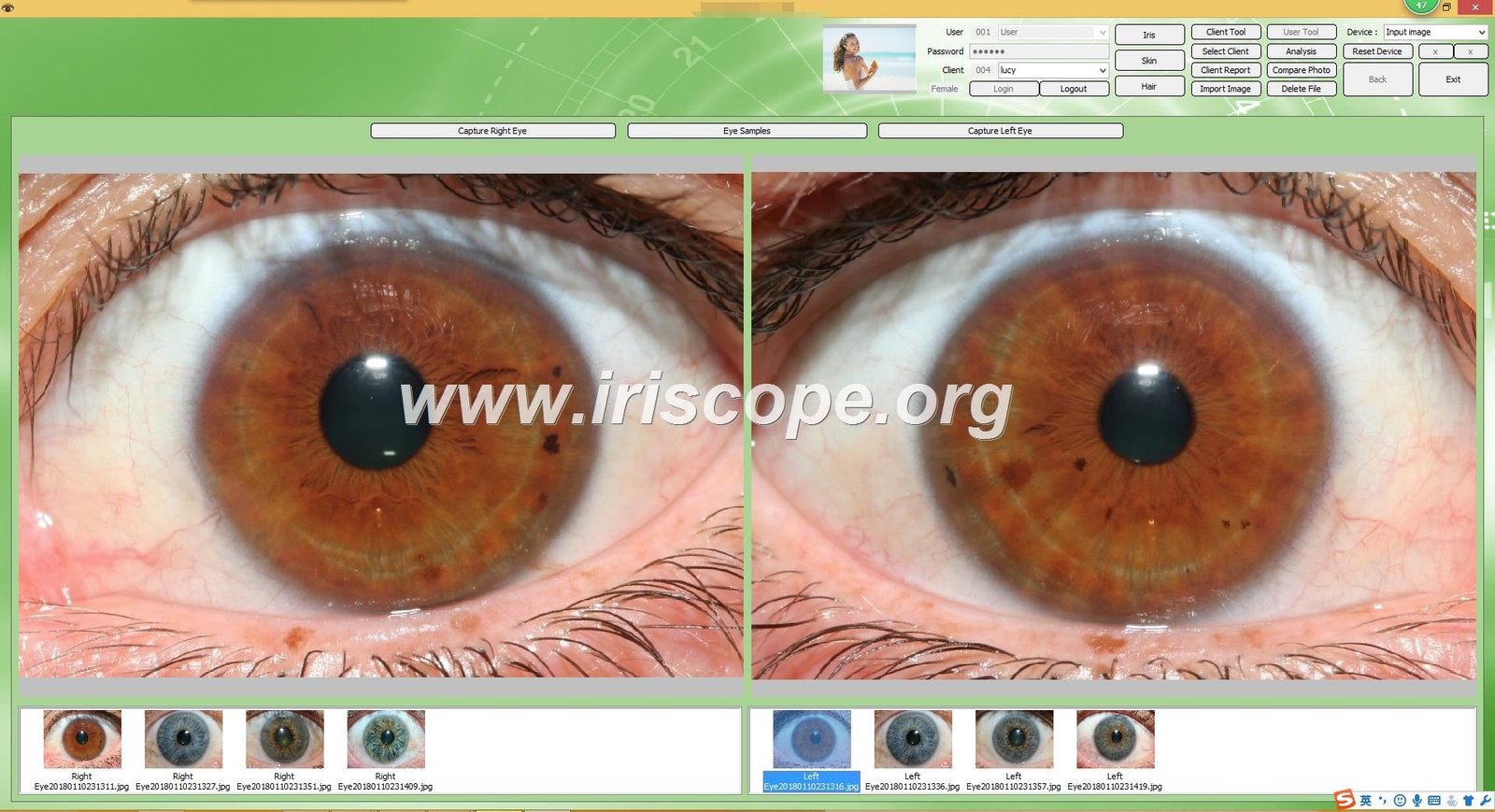
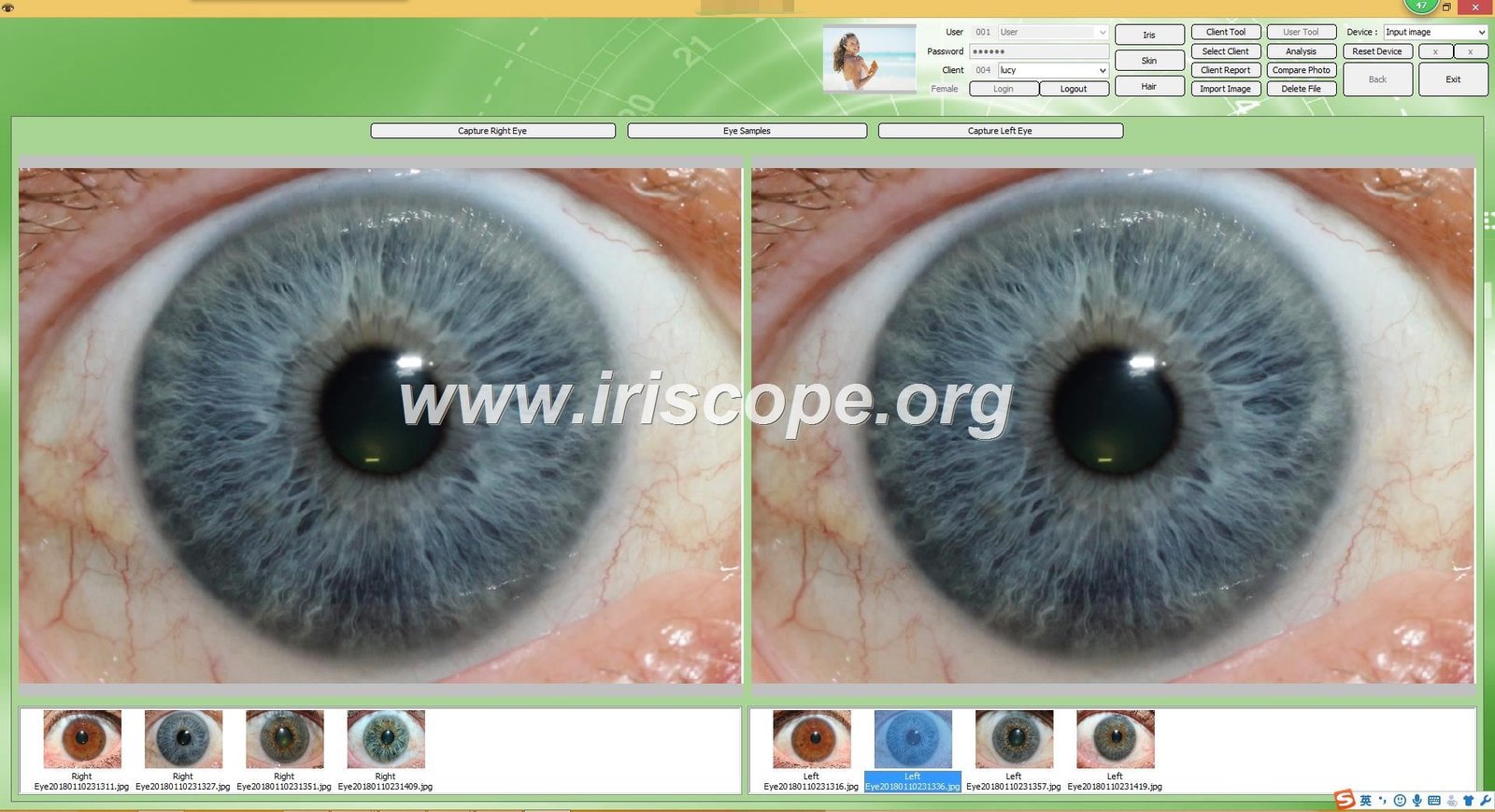
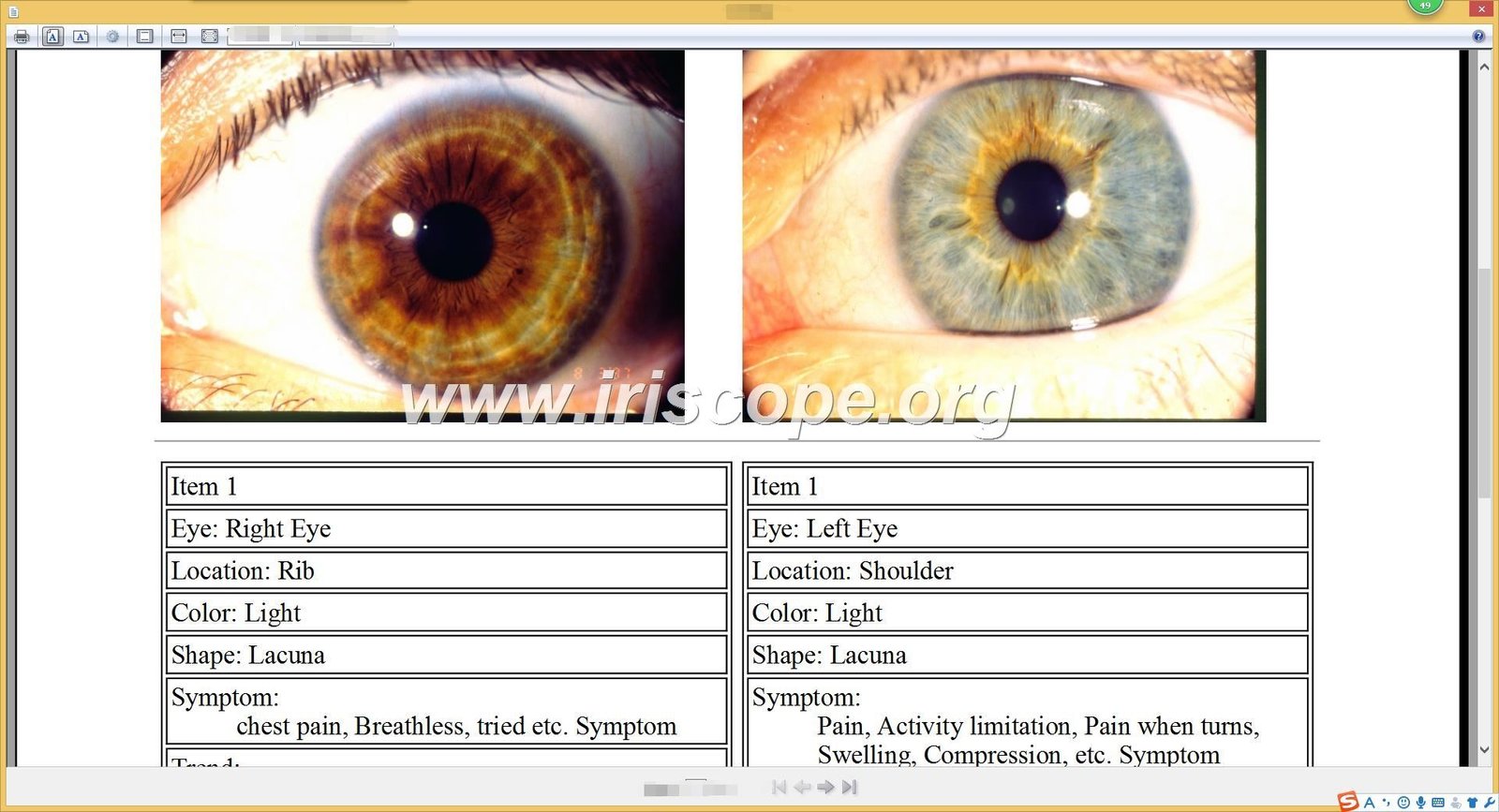
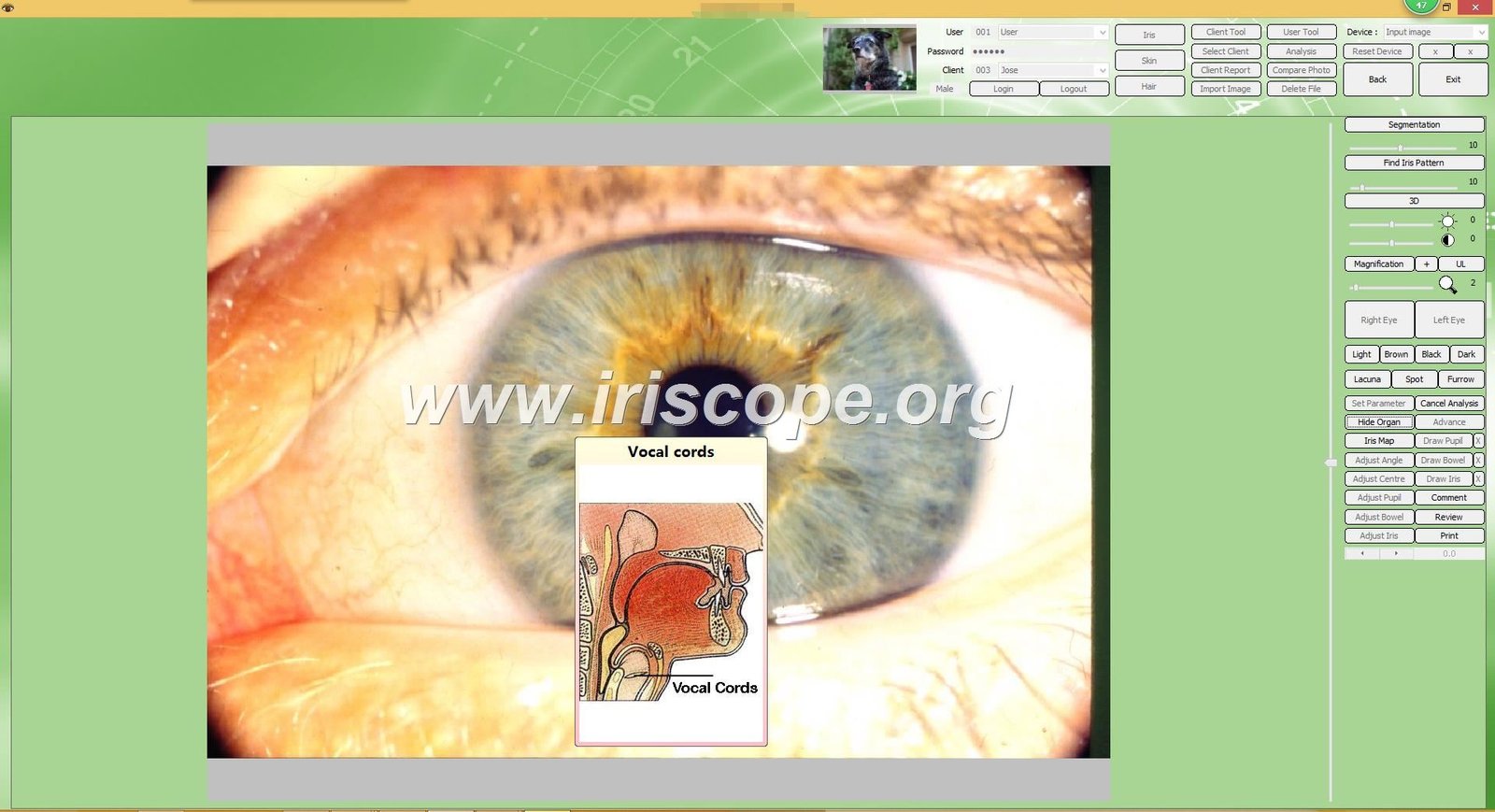
نرم افزار تجزیه و تحلیل اختصاصی MAIKONG با سخت افزار دوربین برای پردازش، تجزیه و تحلیل و ذخیره تصاویر عنبیه کار می کند. این نرم افزار شامل ابزارهای تشخیصی پیچیده ای است که الگوها و ناهنجاری ها را در عنبیه شناسایی می کند و آنها را با شرایط سلامتی بالقوه مطابق با اصول ایریدولوژی مرتبط می کند.
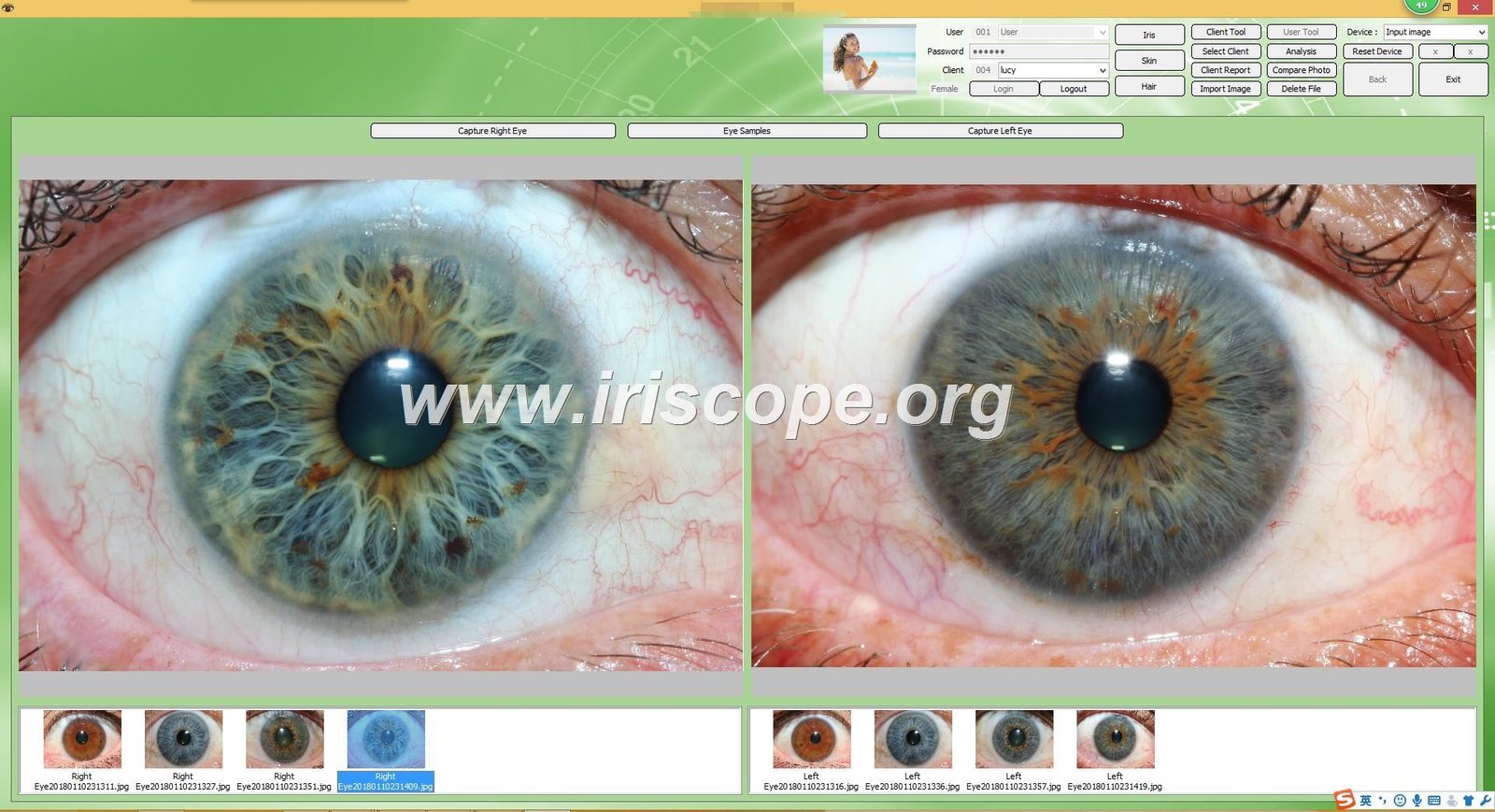
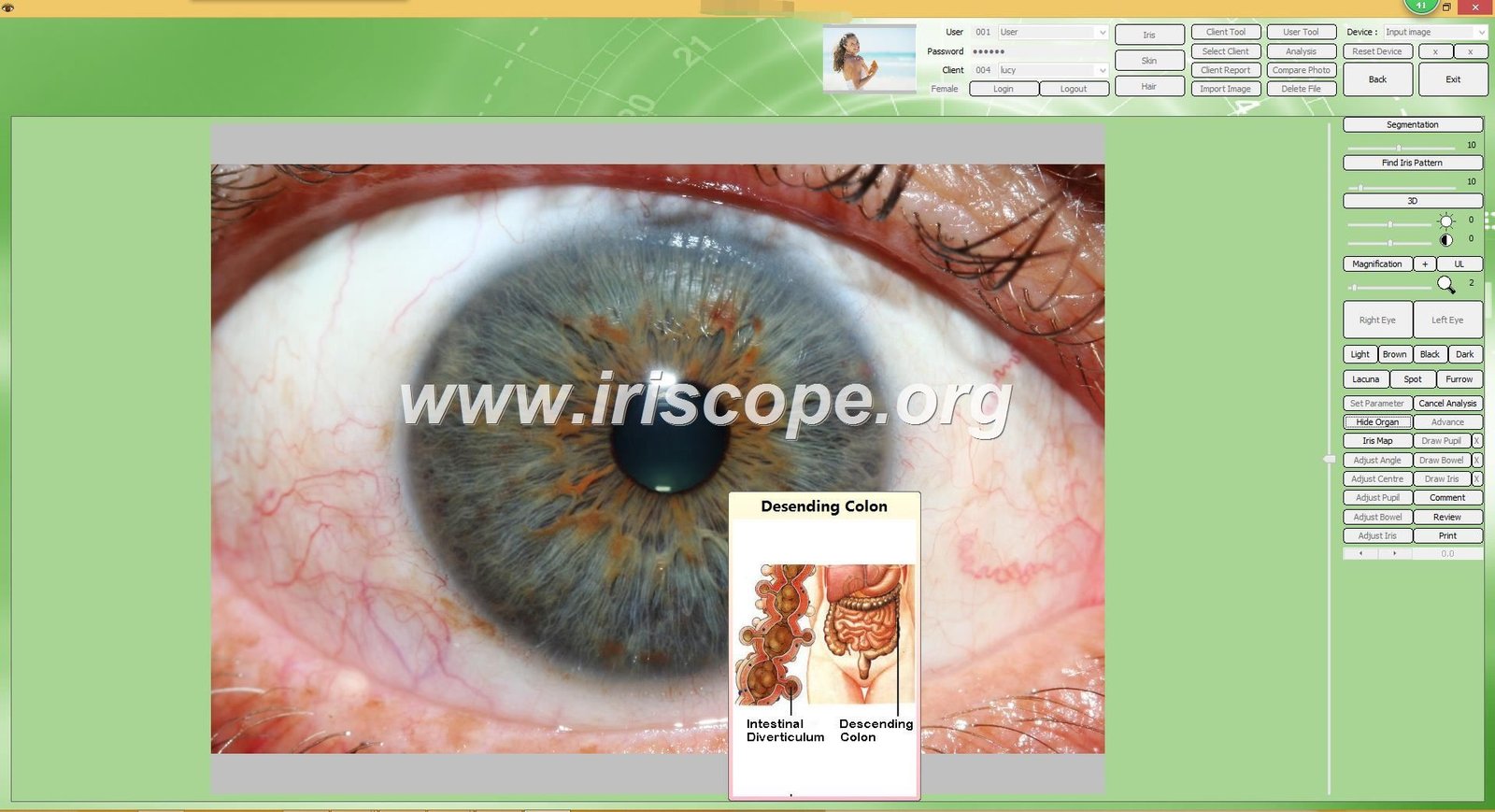
ویژگی های کلیدی نرم افزار
- نصب بدون درایور برای استفاده فوری
- مدیریت پایگاه داده بیماران
- ابزارهای آنالیز عنبیه خودکار
- نمودارهای iridology قابل تنظیم
- عملکرد مقایسه برای ردیابی تغییرات
- قابلیت های تولید گزارش
چالش ادغام در اتصال این مؤلفههای تخصصی با سیستم مدیریت بیمار موجود شما، ایجاد یک گردش کار یکپارچه است که ورود دادههای اضافی را حذف میکند و سوابق بیمار را در همه پلتفرمها تضمین میکند.
چک لیست پیش از ادغام: آماده سازی تمرین
ادغام موفقیت آمیز با آماده سازی کامل آغاز می شود. این چک لیست به شما کمک می کند تا سیستم های فعلی خود را ارزیابی کرده و بهترین رویکرد را برای عملکرد خود شناسایی کنید.
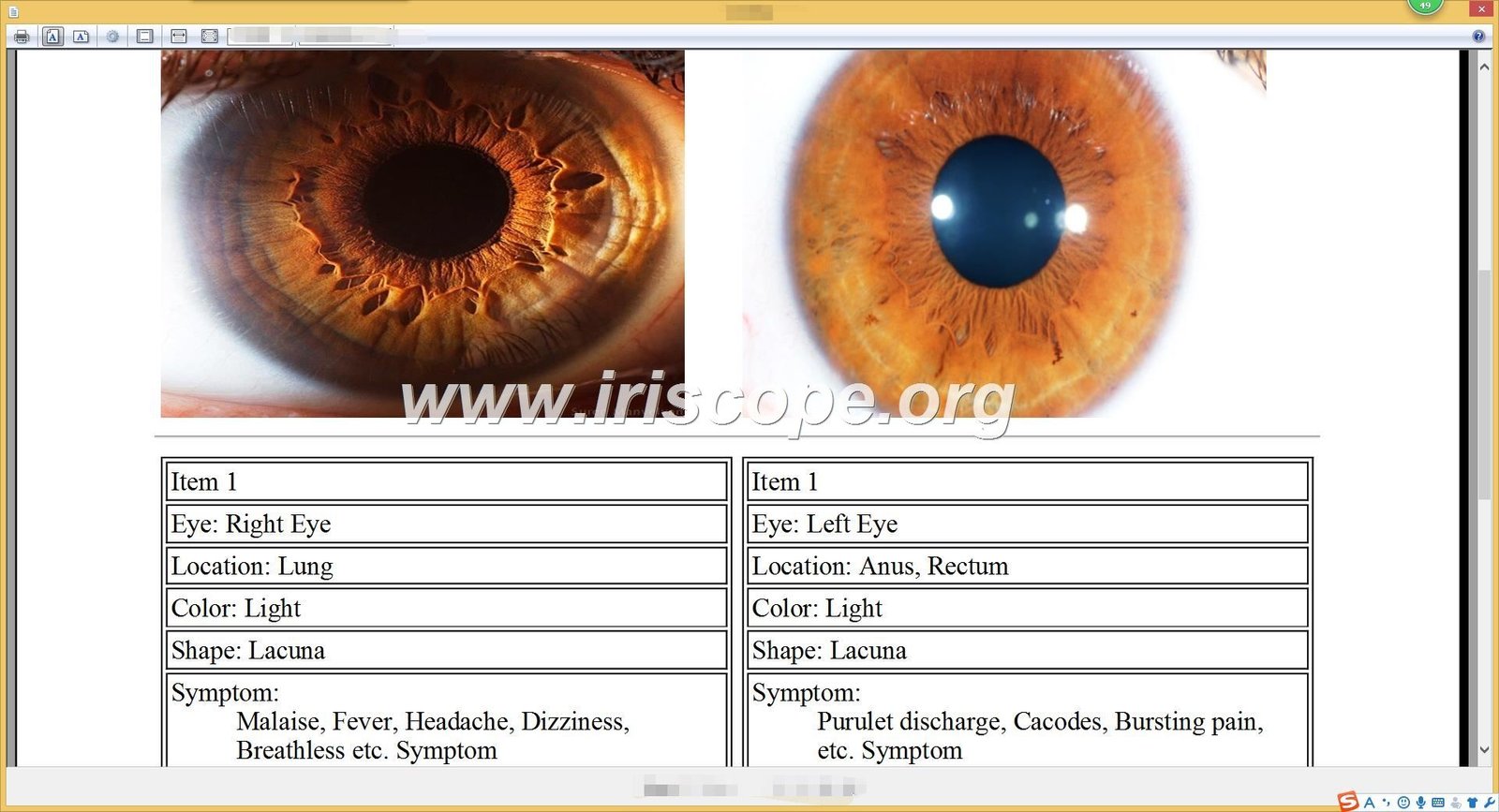
1. نرم افزار فعلی را ارزیابی کنید
سیستم مدیریت بیمار موجود خود را برای تعیین سازگاری آن با برنامه های خارجی ارزیابی کنید. سوالات کلیدی برای پاسخ عبارتند از:
- آیا سیستم فعلی شما قابلیت های API دارد؟
- آیا می تواند داده ها را در فرمت های استاندارد وارد یا صادر کند؟
- آیا فروشنده پشتیبانی یکپارچه سازی را ارائه می دهد؟
- چه پروتکل های امنیتی وجود دارد؟
2. تجهیزات مناسب را انتخاب کنید
یک را انتخاب کنید دوربین ایریدولوژی سیستمی که ویژگی های یکپارچه سازی را ارائه می دهد. مدل USB 5.0 مگاپیکسلی MAIKONG ارائه می دهد:
- عملکرد بدون درایور برای نصب آسان
- سازگار با ویندوز 10، 8، 7، XP، ویستا
- داده های قابل صادرات در فرمت های استاندارد
- نرم افزار با زمینه های قابل تنظیم
3. از انطباق اطمینان حاصل کنید
بررسی کنید که رویکرد یکپارچه سازی شما با تمام مقررات مربوط به حفاظت از داده مطابقت دارد:
- انطباق HIPAA برای امنیت داده های بیمار
- پروتکل های امن انتقال داده
- مکانیسم های رضایت مناسب برای ذخیره سازی تصویر
- قابلیت های دنباله حسابرسی برای همه دسترسی به داده ها
برای نکته: قبل از خرید هر گونه تجهیزات جدید، یک نمایش سازگاری با نرم افزار مدیریت بیمار خاص خود را درخواست کنید. MAIKONG خدمات مشاوره رایگان را برای ارزیابی احتمالات یکپارچه سازی با سیستم های موجود شما ارائه می دهد.
روش های یکپارچه سازی: انتخاب رویکرد مناسب
چندین راه برای اتصال شما وجود دارد دوربین ایریدولوژی نرم افزاری با سوابق بیمار، که هر کدام دارای سطوح پیچیدگی و اتوماسیون متفاوتی هستند. انتخاب مناسب به منابع فنی، بودجه و نیازهای خاص گردش کار شما بستگی دارد.

انتقال دستی داده ها
پیچیدگی: کم
این رویکرد شامل صادرات دستی داده ها از شما است دوربین ایریدولوژی نرم افزار و وارد کردن آن به سیستم مدیریت بیمار.
- بدون نیاز به برنامه نویسی
- با هر سیستمی که واردات را می پذیرد کار می کند
- بدون هزینه نرم افزار اضافی
- کنترل کامل بر روی داده هایی که منتقل می شوند
بهترین برای: اقدامات کوچک با منابع فنی محدود یا حجم کم بیمار.
محدودیت ها
راندمان: کم
- فرآیند دستی وقت گیر
- احتمال خطای انسانی در حین انتقال
- به قراردادهای نامگذاری ثابت نیاز دارد
- بدون همگام سازی داده ها در زمان واقعی
- نگهداری با حجم بالای بیمار دشوار است
یکپارچه سازی API
پیچیدگی: زیاد
ارتباط مستقیم بین نرم افزار MAIKONG و سیستم مدیریت بیمار شما از طریق رابط های برنامه نویسی.
- انتقال اطلاعات کاملاً خودکار
- همگام سازی در زمان واقعی
- کاهش خطر خطاهای ورود داده ها
- تجربه کاربری یکپارچه
بهترین برای: اقدامات بزرگتر با پشتیبانی فناوری اطلاعات و سیستم های مدیریت بیمار مدرن.
محدودیت ها
راندمان: بالا
- به تخصص فنی یا پشتیبانی توسعه دهنده نیاز دارد
- ممکن است هزینه های اضافی برای دسترسی به API داشته باشد
- بستگی به قابلیت های API موجود دارد
- مشکلات احتمالی سازگاری با به روز رسانی
راه حل های میان افزار
پیچیدگی: متوسط
استفاده از نرم افزار شخص ثالث برای پر کردن شکاف بین خود دوربین ایریدولوژی سیستم و سوابق بیمار
- انتقال خودکار داده ها بدون برنامه نویسی پیچیده
- با سیستم هایی کار می کند که پشتیبانی مستقیم API ندارند
- قوانین یکپارچه سازی قابل تنظیم
- می تواند چندین سیستم را به طور همزمان یکپارچه کند
بهترین برای: روش های متوسط به دنبال اتوماسیون بدون نیازهای فنی گسترده.
محدودیت ها
راندمان: متوسط
- هزینه های اضافی نرم افزار
- پتانسیل برای پیچیدگی پیکربندی
- سیستم دیگری برای نگهداری و به روز رسانی
- ممکن است تاخیرهای جزئی در همگام سازی داده ها ایجاد کند
پشتیبانی یکپارچه سازی MAIKONG: Our technical team can assist in evaluating which integration method best suits your practice needs. With over 20 years of experience in دوربین ایریدولوژی systems, we’ve helped hundreds of practitioners achieve seamless workflow integration.
Step-by-Step Setup Guide for MAIKONG Systems
Follow this practical tutorial to set up and integrate your MAIKONG دوربین ایریدولوژی with patient records. This guide uses MAIKONG’s driver-free software as an example.

Initial Hardware Setup
- Unpack your MAIKONG 5.0MP USB دوربین ایریدولوژی سیستم
- Connect the USB cable to your computer
- Position the camera on a stable surface or mount
- Adjust the LED illumination settings using the controls on the handle
Software Installation and Configuration
- Insert the provided software CD or download the latest version from iriscope.org
- Run the installation wizard and follow the prompts
- Launch the software and complete the initial setup
- Configure your default save location for patient images
- Set up your practitioner profile and clinic details
Patient Data Field Configuration
- Navigate to Settings > Patient Fields in the MAIKONG software
- Customize the patient information fields to match your existing records
- Enable the unique patient ID field for cross-referencing
- Set up required fields to ensure consistent data collection
- Configure automatic file naming conventions based on patient IDs
Integration Configuration
| Integration Method |
Configuration Steps |
Required Tools |
Verification Process |
| Manual Export/Import |
1. Set up export templates
2. Configure file formats
3. Establish file naming conventions |
هیچ کدام |
Test export and import with sample patient |
| یکپارچه سازی API |
1. Obtain API credentials
2. Configure connection settings
3. Map data fields
4. Set synchronization frequency |
API documentation, Developer access |
Run test synchronization and verify data transfer |
| Middleware Solution |
1. Install middleware software
2. Configure source and destination
3. Set up data mapping rules
4. Establish trigger events |
Middleware software, Configuration guide |
Test complete workflow with sample patient |
مهم: Always create a backup of your patient data before implementing any integration solution. Test the integration thoroughly with sample data before using it with actual patient records.
Optimizing Your Clinical Workflow with Integrated Systems
A properly integrated دوربین ایریدولوژی system transforms your practice workflow, creating efficiencies at every stage of the patient journey.
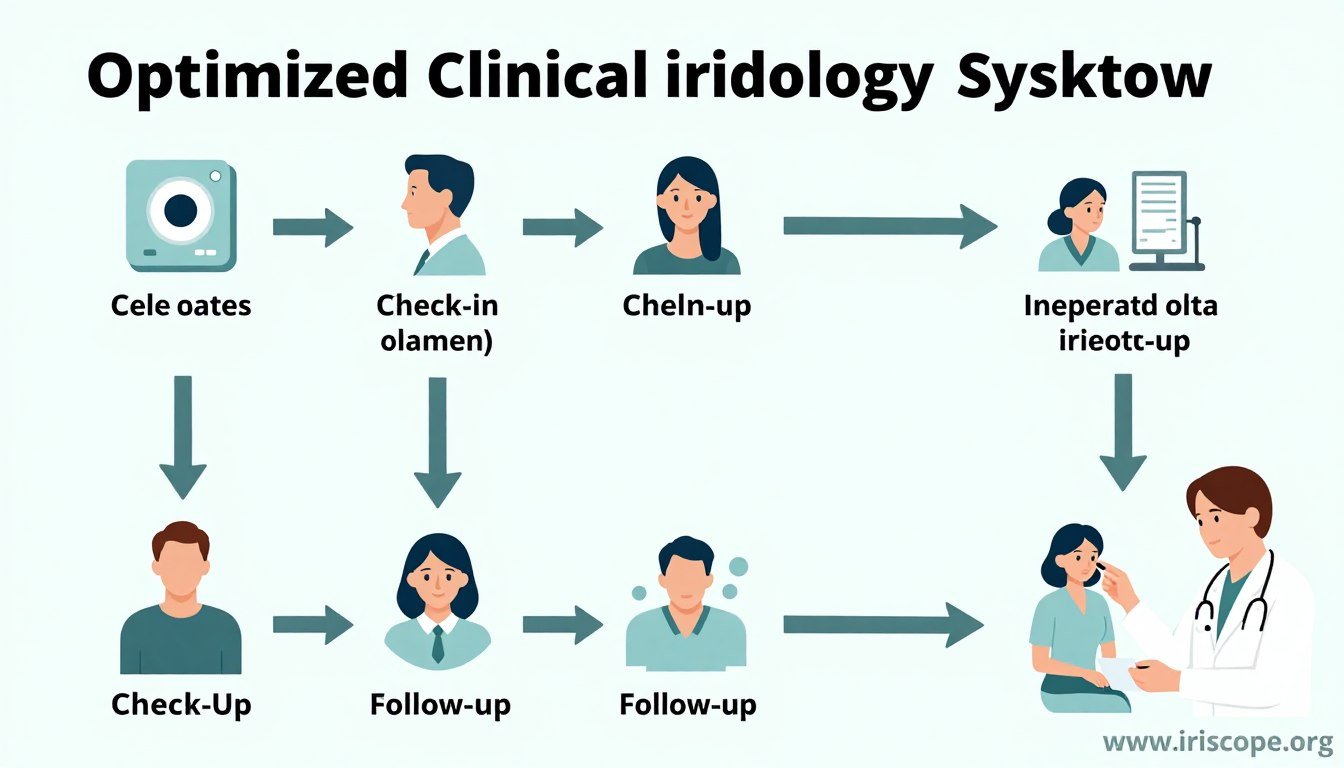
Patient Intake Transformation
With integrated systems, patient registration becomes streamlined and error-free:
Before Integration
- Duplicate data entry in multiple systems
- Transcription errors between systems
- Time-consuming manual processes
- Inconsistent patient records
After Integration
- Single-point data entry
- Automatic population of patient details
- Reduced administrative time
- Consistent records across all systems
Enhanced Analysis and Diagnosis
Integration improves the diagnostic process by providing comprehensive patient context:
- Access to complete patient history during analysis
- Side-by-side comparison with previous iris images
- Correlation of iris findings with reported symptoms
- Integrated notes from other practitioners
- Comprehensive view of patient health journey
Streamlined Reporting and Follow-up
Integrated systems revolutionize how you communicate findings and track progress:
- Automated report generation with iris images and analysis
- Direct addition of findings to patient records
- Simplified tracking of treatment effectiveness
- Automated follow-up scheduling based on findings
- Easy sharing of reports with patients or referral sources
“Since integrating our MAIKONG دوربین ایریدولوژی system with our patient management software, we’ve reduced administrative time by 35% and increased our capacity to see patients by nearly 20%. The seamless workflow has transformed our practice efficiency.”
— Dr. Sarah Johnson, Holistic Health Practitioner
Troubleshooting Common Integration Issues
Even the best integration systems occasionally encounter challenges. Here’s how to address the most common issues:
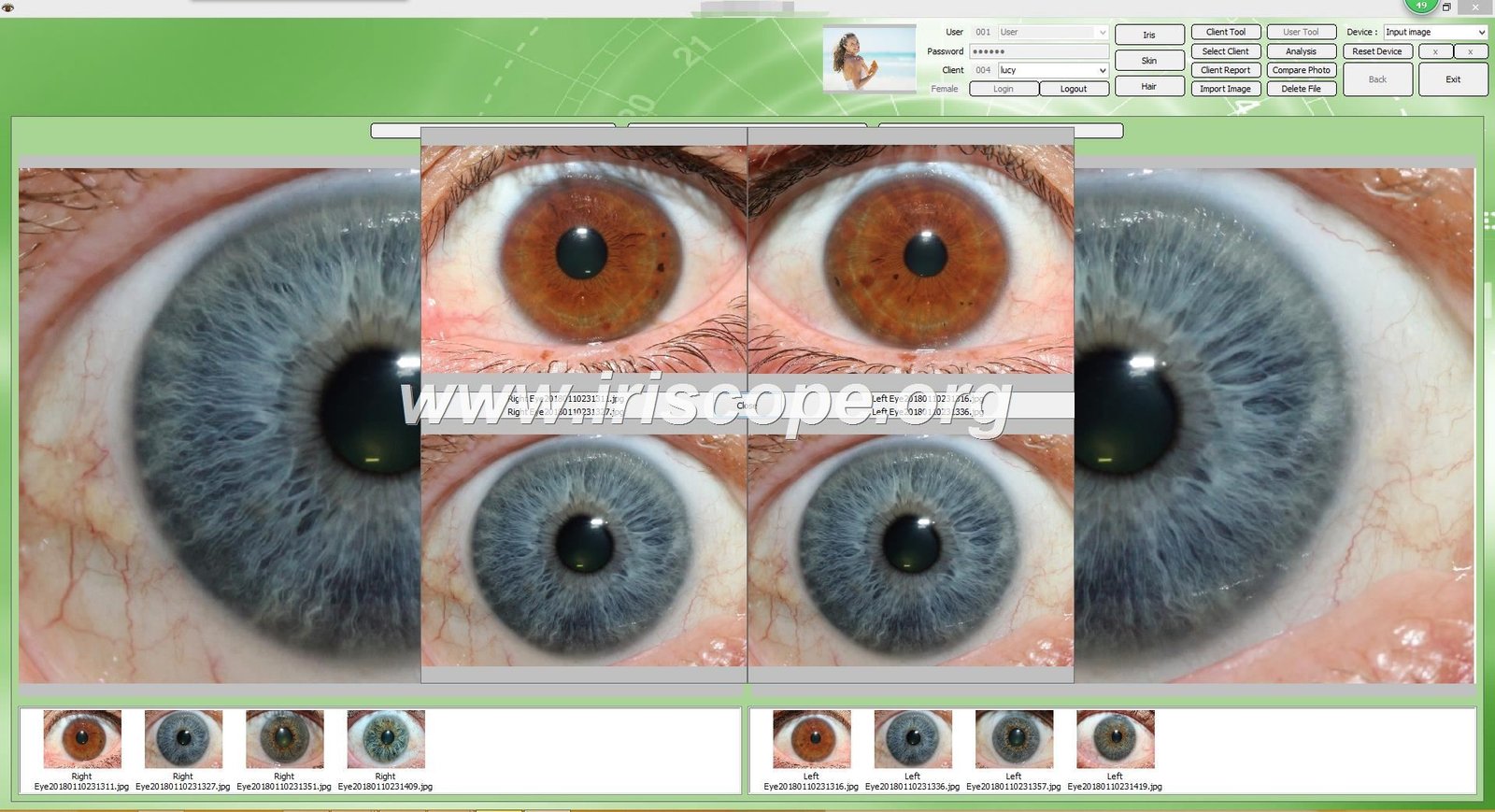
Camera Not Recognized by Software
Possible Causes:
- USB connection issues
- Driver conflicts
- Software compatibility problems
Solutions:
- Try a different USB port, preferably directly on the computer (not through a hub)
- Restart both the camera and computer
- Verify your operating system is compatible with the MAIKONG software
- Check for Windows updates that might affect USB device recognition
Images Not Saving to Patient Records
Possible Causes:
- Incorrect file path configuration
- Permission issues with folders
- Disconnected integration
Solutions:
- Verify the save location path in settings
- Check folder permissions and ensure write access
- Test the save function with a sample patient
- Confirm that patient ID fields match between systems
Data Synchronization Failures
Possible Causes:
- Network connectivity issues
- API authentication failures
- Data format mismatches
Solutions:
- Check your internet connection and firewall settings
- Verify API credentials and refresh tokens if necessary
- Review data mapping configurations
- Check for recent updates to either system that might affect compatibility
MAIKONG Technical Support: Our dedicated support team is available to help resolve any integration issues. Contact us at lucy@iriscope.org or via WhatsApp at +86 13 5109 07401 for prompt assistance.
Future-Proofing Your Integrated Iridology Practice
Technology evolves rapidly, and maintaining an effective integrated system requires planning for the future. Here’s how to ensure your دوربین ایریدولوژی integration remains effective for years to come.
Regular Software Updates
Keep all components of your integrated system current:
- Enable automatic updates when available
- Schedule quarterly system reviews
- Subscribe to MAIKONG update notifications
- Test integration after major updates
Comprehensive Data Backup
Protect your valuable patient data and analysis:
- Implement automated daily backups
- Store backups in multiple locations
- Test restoration procedures regularly
- Include iris images in backup protocols
Scaling Your System
Prepare for practice growth and technological advancement:
- Choose systems with expandable capabilities
- Consider cloud-based solutions for flexibility
- Plan for multi-practitioner access
- Evaluate AI-enhanced analysis options
MAIKONG continues to innovate in دوربین ایریدولوژی technology, with regular updates to both hardware and software. Our product roadmap includes enhanced integration capabilities, AI-assisted analysis, and cloud-based patient management solutions designed specifically for iridology practitioners.
Conclusion: Transform Your Practice with Integrated Iridology Systems
Integrating your دوربین ایریدولوژی software with patient records is more than a technical upgrade—it’s a practice transformation that enhances every aspect of patient care. From streamlined intake to comprehensive analysis and efficient follow-up, integration creates a seamless workflow that benefits both practitioners and patients.
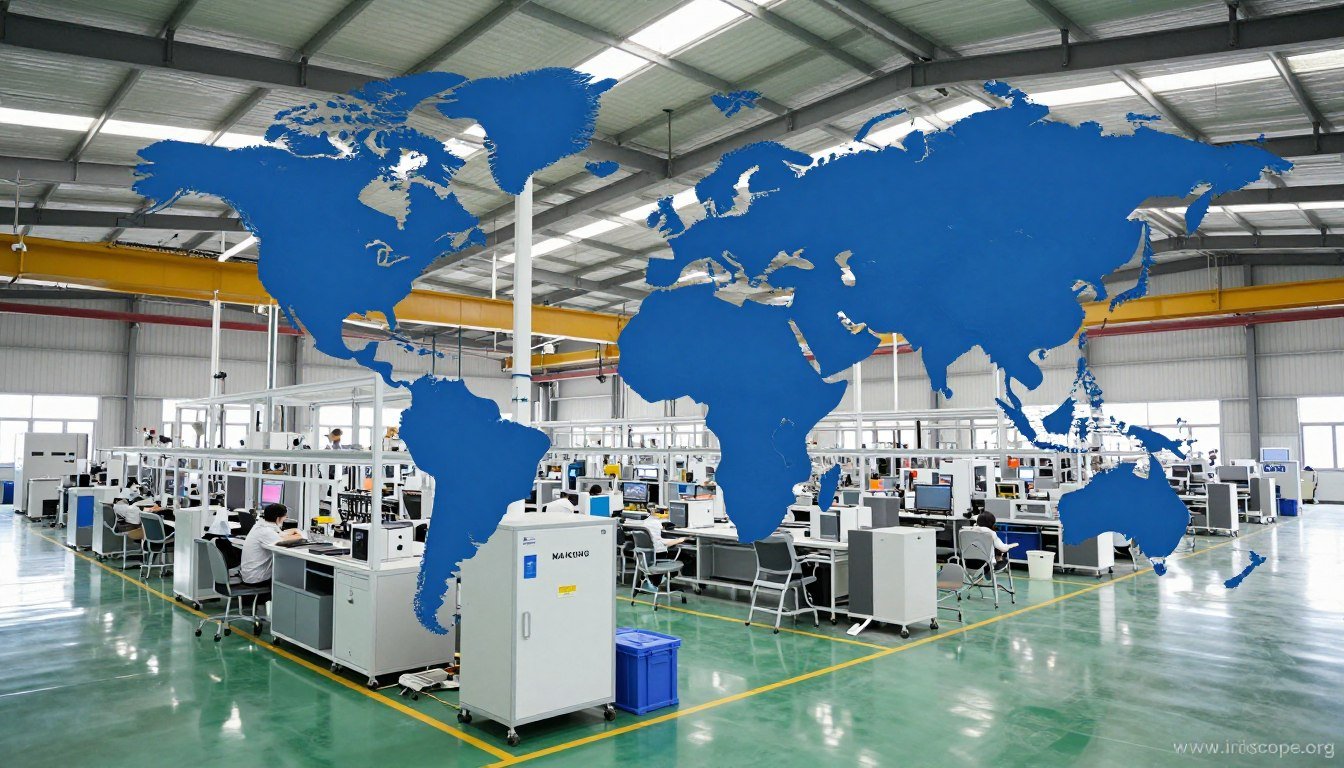
With over 20 years of experience in developing cutting-edge iridology equipment, MAIKONG stands ready to support your practice with state-of-the-art technology and integration expertise. Our commitment to innovation and practitioner success has made us the preferred choice for iridology professionals in more than 50 countries worldwide.
آیا آماده اید تا تمرین ایریدولوژی خود را تغییر دهید؟
Contact MAIKONG today to discuss your integration needs and discover how our advanced دوربین ایریدولوژی systems can enhance your practice efficiency and diagnostic capabilities.
Explore MAIKONG Products
Call or WhatsApp: +86 13 5109 07401
ایمیل: lucy@iriscope.org
Become a MAIKONG Distributor in the USA
Join our growing network of successful distributors and bring MAIKONG’s premium دوربین ایریدولوژی systems to practitioners in your region. We offer comprehensive support, competitive pricing, and exclusive territories for qualified partners.
فرصت های توزیع کننده
Contact our partnership team at lucy@iriscope.org to discuss distributor requirements and benefits.